
Table of Contents
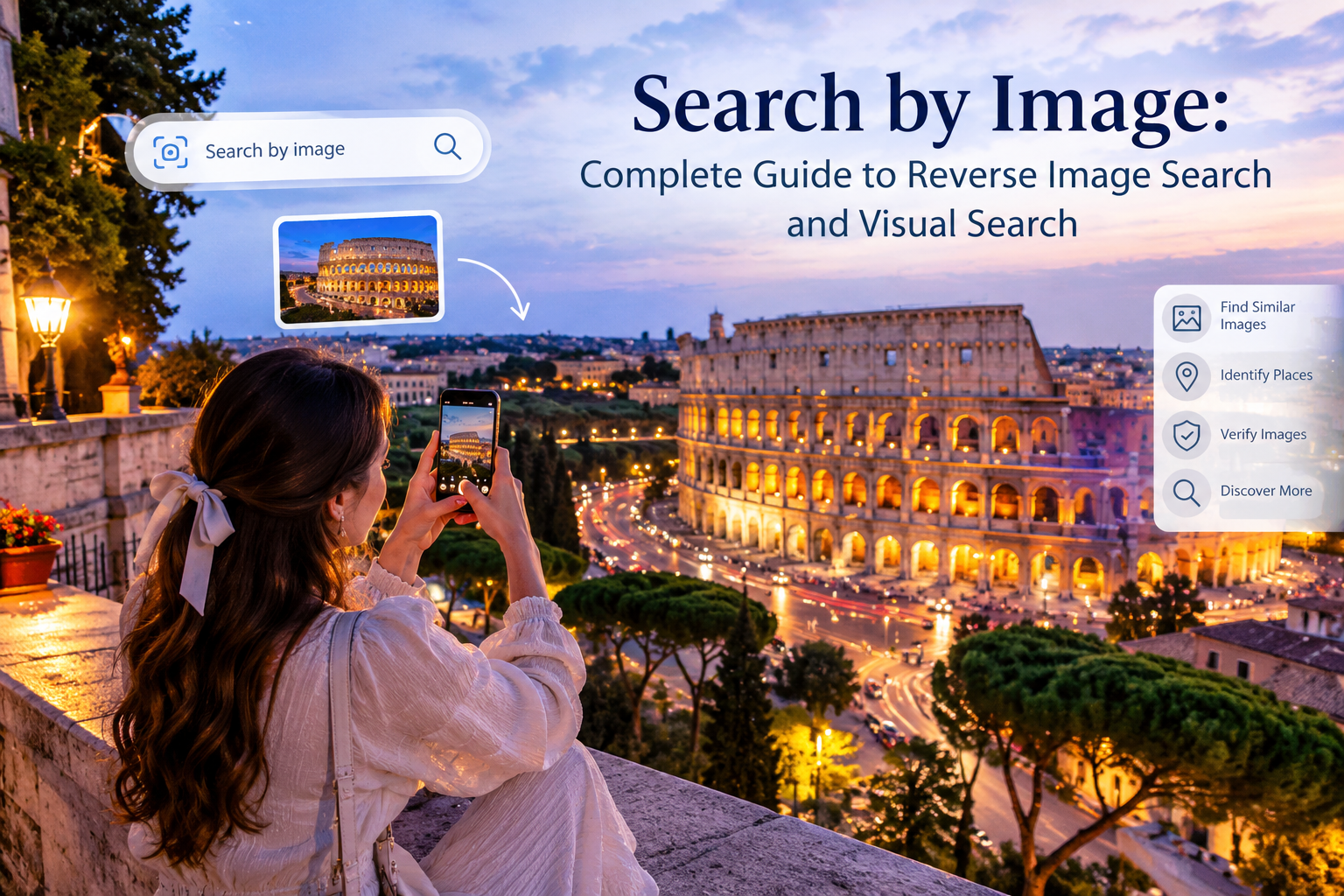
In today’s digital world, images have become one of the most important ways people discover information online. Instead of typing a long description into a search engine, users can simply upload a picture and find related information. This technology is commonly known as Search by Image, reverse image search, or visual search.
Search by Image allows users to investigate a photograph, identify an object, discover visually similar pictures, locate websites that have used an image, and sometimes learn more about the subject shown in a photograph. Modern visual search tools have made this process much easier because users can search using an uploaded image, an image URL, or a picture captured directly from a device.
Google explains that Google Lens can analyze an image and provide results related to objects, similar images, and websites containing the same or similar image. This makes visual search useful for everyday research, shopping research, education, photography, content creation, and basic image verification.
This complete guide explains what Search by Image means, how it works, how to use it on computers and mobile devices, what information it can provide, its practical uses, limitations, privacy considerations, and helpful techniques for getting better results.

What Is Search by Image?
Search by Image is a method of searching the internet using a picture instead of traditional text. Rather than entering keywords into a search engine, you provide an image as the starting point for your search.
The technology analyzes visual information within the image and attempts to identify relevant objects, patterns, subjects, and related visual content. Depending on the image and the search platform, the results may include visually similar pictures, websites where an image or similar version appears, product information, object identification, or additional information about the subject.
Google introduced Search by Image as a way to make images usable as search queries. Over time, this technology developed into more advanced visual search experiences such as Google Lens.
The basic idea is simple: instead of telling a search engine what you are looking for with words, you show it what you are looking for with an image.
How Does Search by Image Work?
Search by Image relies on computer vision and image-analysis technologies. When an image is submitted, the system examines visual characteristics rather than depending only on the filename.
Google has explained that image search technology can analyze visual features and use them to understand what an image represents.
For example, imagine that you have a photograph of an unfamiliar plant. You may not know its name, so a traditional text search can be difficult. With Search by Image, you can upload the photograph and allow the visual search system to analyze it.
The same concept can be applied to clothing, landmarks, animals, products, artwork, objects, and many other subjects.
The process generally involves several stages. First, the image is submitted to the visual search system. Next, the system analyzes important visual characteristics. It then compares those characteristics against information available to the search engine and generates relevant results.
The results are not always exact. A visual search system may correctly identify an object, provide a related category, or return visually similar images without identifying the original source.
Why Is Search by Image Useful?
The biggest advantage of Search by Image is that it removes the need to know the correct words before beginning a search.
Suppose you see an object online but do not know its name. A traditional search requires you to describe the object. That can be difficult when you do not know the terminology.
With Search by Image, the picture itself becomes the starting point.
This can be especially useful when searching for unfamiliar products, identifying landmarks, researching photographs, finding visually similar designs, investigating where an image has appeared, or discovering more information about an object.
Google’s current documentation states that Lens results can include object-related search results, similar images, and websites containing the image or a similar image.
Search by Image and Google Lens
Google Lens is one of the most widely recognized visual search technologies. It allows users to search using images and cameras instead of relying exclusively on typed keywords.
On supported devices and browsers, users can provide an image and receive visual search results. Google also allows users to interact with images directly from websites through Lens in supported browsers.
Google Lens can be useful for identifying objects, exploring similar visual content, understanding images, and searching for additional information.
Modern Google Search has continued expanding visual capabilities. Google describes developments including Lens, multisearch, Circle to Search, and newer image-focused search experiences.
How to Use Search by Image on a Computer
Using Search by Image on a computer is relatively straightforward.
Open Google in a supported web browser and select the image-search or Lens option. You can then upload an image from your computer.
Google’s official instructions explain that users can go to Google, select the Search by image option, upload a file, and choose the image they want to search.
Another option is drag and drop. If you already have the image saved on your computer, you can drag the image into the appropriate search area.
This method is convenient when you have downloaded a photograph, saved a screenshot, or received an image that you want to investigate.https://newsunfold.com/how-to-convert-youtube-to-mp3-legally/
Read more about: how to convert youtube to mp3 legally
Searching by Image URL
Another useful method is searching by an image URL.
If a picture is already available on a website, you may be able to copy its image address and use that address as the search input.
Google’s documentation explains that users can copy the image URL, open the image-search interface, and paste the image link to perform the search.
This approach is useful when you do not want to download the image first.
However, access to an image URL can depend on the website hosting the image. Some websites may use restrictions or technical configurations that prevent direct access to an image.
Searching an Image Directly From a Website
One of the easiest ways to use Search by Image is through a browser.
Google explains that Chrome users can right-click an image on a website and choose the option to search with Google Lens.
This can save time because you do not have to download the image and upload it separately.
For example, if you are reading an article and see an unfamiliar landmark, product, plant, or object, you can use the browser’s visual search function to investigate it.
Search by Image on Mobile Devices
Mobile devices make visual search even more convenient because they have cameras.
Instead of finding a picture online, users can capture a photograph and use it as a search input. This makes visual search practical when exploring the physical world.
For example, a student may encounter an unfamiliar object, a traveler may want to learn about a landmark, or someone may want to investigate a product seen in a store.
The exact interface can vary depending on the device, browser, operating system, and Google product version, so users should follow the current instructions provided by the relevant platform.
Finding Similar Images
One of the most useful features of Search by Image is finding visually similar images.
Instead of looking only for an exact copy, visual search can identify images that share visual characteristics with the submitted picture.
This can be helpful for inspiration and research.
For example, a designer might have a photograph of a particular room and want to find similar interior designs. A traveler may have a photograph of a landmark and want to find other photographs of the same location. A photographer may want to explore related compositions.
Google’s resources explain that image search can return visually similar images and websites where the image or similar versions appear.
Finding the Original Source of an Image
Another common reason people use Search by Image is to investigate where a photograph originally appeared.
This can be particularly useful when an image has been shared repeatedly across social media and websites.
A reverse image search may reveal pages that contain the same photograph or similar versions. This can help researchers investigate the history of an image.
However, it is important to understand that finding an older-looking result does not automatically prove that the page contains the original publication. Websites can republish images, change dates, remove attribution, or upload modified versions.
For this reason, Search by Image should be treated as a research tool rather than absolute proof.
Using Search by Image for Image Verification
Image verification has become increasingly important because digital photographs can be copied, edited, reposted, or presented with misleading descriptions.
A reverse image search can help researchers discover where a photograph has appeared online.
Google News Initiative provides training on reverse image search and explains that searching an image can help researchers discover where else a photograph has appeared and investigate its background.
For verification, it is useful to compare multiple sources instead of relying on a single search result.
Look at publication dates, captions, surrounding text, location information, reputable news sources, and other independent evidence.
An image appearing on an older website does not necessarily establish when or where the photograph was actually taken. Additional evidence may be necessary.
Search by Image for Products
Visual search can also be helpful when researching products.
Imagine seeing a chair, pair of shoes, bag, electronic device, or piece of furniture but not knowing its exact name. Instead of describing every visible feature, you can search using a photograph.
The search engine may identify the object or provide visually similar products.
This can make product discovery faster, particularly when the item has an unusual design.
However, visual similarity does not guarantee that two products are identical. Different brands may produce products with similar shapes, colors, or designs.
Always check the actual product specifications, manufacturer information, dimensions, and seller details before making a purchasing decision.
Search by Image for Fashion
Fashion is another area where visual search can be useful.
A photograph of a jacket, dress, shoes, handbag, or accessory can be used to discover similar styles.
Visual search can help users find related designs without knowing the exact product name.
For example, if you see a particular style of jacket in a photograph, searching the image may produce similar jackets from different websites.
This can be useful for inspiration, but users should carefully distinguish between an exact match and a visually similar item.
Search by Image for Travel and Landmarks
Travelers can also benefit from visual search.
If you have a photograph of a landmark but do not know its name, an image-based search may provide useful clues.
The system may recognize distinctive buildings, monuments, landscapes, or other visual features.
This can help with travel research and location discovery.
Still, landmark recognition should be verified with reliable sources, particularly when the location information is important.
Search by Image for Plants and Animals
Images can also help users learn more about plants and animals.
For example, a photograph of an unfamiliar flower can be submitted to a visual search system to obtain possible identification results.
Similarly, a photograph of an animal may produce related information.
Visual identification is useful for initial research, but it should not automatically be treated as expert identification. Similar species can look very different depending on age, lighting, season, and viewing angle.
Search by Image for Education
Search by Image can also support learning and research.
Students may encounter diagrams, historical photographs, scientific objects, maps, artworks, or unfamiliar concepts.
Instead of searching only by a vague description, students can use an image to find related information.
For example, a historical photograph can lead to additional websites discussing the event or person associated with it.
Educational users should still evaluate sources carefully. A search result is not automatically a reliable academic source.
Search by Image for Content Creators
Bloggers, journalists, designers, photographers, and social media creators can use reverse image search as part of their research workflow.
A creator may want to investigate whether a photograph has already appeared elsewhere online.
This can help with source discovery and attribution research.
Creators should also pay attention to copyright. Finding an image through Search by Image does not automatically mean that the image is free to use.
Before publishing an image, check its licensing terms, ownership information, and usage permissions.
Search by Image and Copyright
Copyright is an important consideration when working with online images.
An image appearing in search results does not mean that anyone can freely copy, modify, or republish it.
Search engines help users discover images, but ownership and licensing are separate issues.
If you want to use an image commercially or publish it on a website, investigate the copyright status and licensing requirements.
When possible, use images from legitimate sources that clearly provide appropriate usage rights.
How to Get Better Search by Image Results
The quality of the image can affect the usefulness of visual search results.
A clear photograph generally provides more useful visual information than a heavily blurred or extremely low-resolution picture.
If the image contains many unrelated objects, cropping can sometimes make the search more focused.
For example, if you want to identify a specific shoe in a photograph containing several people, a crop focused on the shoe may provide a more relevant visual search.
Likewise, removing unnecessary background elements can sometimes help the search system focus on the object you actually want to investigate.
Cropping an Image Before Searching
Cropping is a simple but useful technique.
Suppose you have a photograph containing a person, a building, a vehicle, and several background objects. If your goal is to investigate the vehicle, searching the complete photograph may produce broad results.
A crop focused on the vehicle can make the search more specific.
This does not guarantee an accurate result, but it can reduce visual noise.
Using Multiple Searches
A single Search by Image query may not provide enough information.
For important research, perform additional searches using different crops or versions of the same photograph.
You can also combine visual search with traditional text searches.
For example, if an image search suggests a possible landmark name, search that landmark separately and compare the information from reputable sources.
This combined approach can provide stronger evidence than relying on one result.
Search by Image Limitations
Although visual search technology has become sophisticated, it is not perfect.
An image can be difficult to identify because of poor lighting, low resolution, unusual angles, image modifications, limited online information, or a lack of matching content.
A system may also identify an object incorrectly.
For this reason, visual search results should be interpreted carefully.
A suggested label is a clue, not necessarily a confirmed fact.
Privacy Considerations
Privacy is another important issue when using image-search services.
Before uploading a photograph, consider whether it contains personal information.
An image might contain faces, documents, addresses, school information, identification cards, private conversations, or other sensitive details.
Users should avoid uploading highly sensitive images unless they understand the service’s privacy practices and are comfortable with the process.
Google’s official Search help documentation notes that image-search interactions may involve processing associated information and explains certain aspects of image URL handling.
Always review the current privacy information of the service you are using.
Search by Image vs Traditional Text Search
Traditional text search requires users to describe what they want.
For example, someone might type “blue vintage camera with silver lens.”
Search by Image takes a different approach. Instead of describing the camera, the user provides a photograph.
Text search is often better when you already know the subject and can describe it accurately.
Image search can be more convenient when you do not know the correct terminology.
The two methods can also work together. A user can start with an image and then add text to narrow the search.
Search by Image and Multisearch
Modern visual search can combine image and text.
Google describes multisearch as a way to search with both images and words at the same time.
This is useful when an image alone does not express the exact intention.
For example, a user might submit an image of an object and add a phrase describing the desired characteristic.
This creates a more conversational search experience because the image provides visual context while the text provides additional intent.
Search by Image for Website Owners
Website owners can also benefit from understanding visual search.
High-quality original images can provide additional opportunities for discovery through image search.
Website owners should use descriptive filenames, relevant surrounding content, appropriate image formats, and useful alternative text where appropriate.
However, image optimization should be natural rather than excessive.
The main objective should always be to provide useful content and a good user experience.
Image SEO and Search by Image
Image SEO refers to optimizing images so search engines can better understand and discover them.
Relevant surrounding text, descriptive filenames, meaningful alt text, appropriate image dimensions, and good page performance can all contribute to a better image-search experience.
However, image optimization does not guarantee that an image will appear in visual search results.
Search engines use many signals when determining what content to display.
Website owners should therefore focus on creating original, relevant, useful visual content rather than trying to manipulate image-search systems.
Is Search by Image Accurate?
Search by Image can be very useful, but accuracy varies.
A clear and distinctive image may produce highly relevant results. A blurry or generic photograph may produce broader results.
Object recognition can also be affected by lighting, perspective, background elements, image quality, and the availability of matching information.
For important decisions, always verify the results through additional trustworthy sources.
Search by Image for Journalists and Researchers
Journalists and researchers can use reverse image search to investigate the online history of photographs.
Google News Initiative specifically highlights reverse image search as a useful technique for investigating where photographs have appeared online and understanding their background.
A responsible research process should include more than simply searching an image.
Researchers can compare publication dates, examine captions, look for earlier appearances, investigate the source website, and seek independent confirmation.
This is especially important when an image is connected to a significant event or controversial claim.
Common Mistakes When Using Search by Image
One common mistake is assuming that the first result must be correct.
Search engines provide results based on available information and algorithms. The first result is not necessarily the original source or the most authoritative explanation.
Another mistake is failing to crop a complicated image.
A third mistake is treating a visually similar image as an exact match.
Users should also avoid assuming that an image found through search is automatically free to reuse.
Careful verification produces more reliable results.
Is Search by Image Free?
Many basic image-search capabilities are available without a separate payment, although features and availability can vary by service, device, region, and account.
Google provides image-search and Lens functionality through its search ecosystem.
Users should check the current terms and interface of the service they choose because features can change over time.
The Future of Visual Search
Visual search continues to evolve as search engines improve their ability to understand images.
Google’s recent overview of visual-search development describes a progression from Google Images and Search by Image toward Lens, multisearch, Circle to Search, and newer AI-supported visual search experiences.
This broader shift means search is becoming less dependent on typed keywords.
Instead of describing everything with words, users can increasingly provide photographs, screenshots, camera views, and other visual information.
The combination of image understanding and text-based instructions may make search more conversational and useful.
Final Thoughts on Search by Image
Search by Image has changed the way people discover information online. Instead of relying entirely on keywords, users can begin their research with a photograph.
Whether you want to identify an unfamiliar object, find visually similar pictures, investigate where an image appears online, research a product, explore a landmark, or perform basic image verification, visual search can provide a useful starting point.
Google Lens and other visual-search technologies make the process increasingly accessible. Google’s official guidance confirms that users can upload images, search using image URLs, search images directly from supported websites, and receive results involving objects, similar images, and websites containing related images.
At the same time, Search by Image should be used thoughtfully. Search results can contain mistakes, visual similarity does not prove identity, and discovering an image online does not automatically provide permission to reuse it.
For the most reliable results, use clear images, crop unnecessary areas, try more than one search, combine visual search with text searches, and verify important information through trustworthy sources.
As visual search technology continues developing, Search by Image is becoming an increasingly practical way to explore the internet. It turns a photograph into a search query and helps bridge the gap between the physical world and digital information.