
Table of Contents
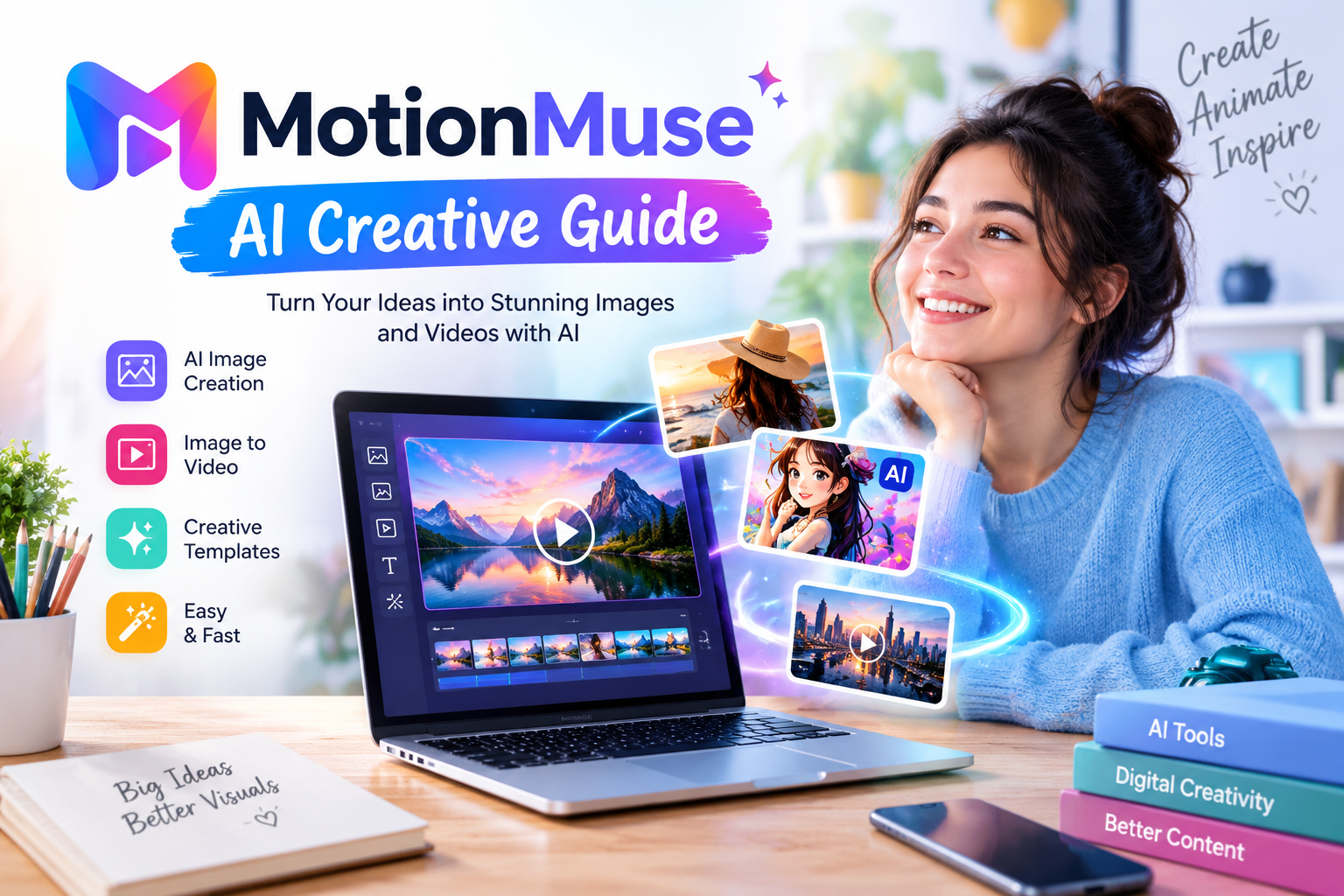
MotionMuse is an AI-powered creative tool designed to help people create attractive images and short videos with less effort. As digital content becomes more popular, creators need simple ways to produce engaging visuals for websites, social media platforms, marketing campaigns, and personal projects. MotionMuse aims to make this process easier by using artificial intelligence to transform creative ideas and existing pictures into visual content.
Creating professional-looking videos traditionally requires editing software, technical knowledge, and considerable time. Beginners may find it difficult to understand complicated editing tools or produce smooth animations. MotionMuse offers an alternative approach by allowing users to work with images, templates, and AI-powered features. Depending on the available tools, users can turn static pictures into moving clips, experiment with different visual styles, and prepare content for online sharing.
The growing interest in AI image and video generation has created new opportunities for digital creators. MotionMuse belongs to this developing category of creative technology, where automation helps users complete visual tasks more efficiently. However, understanding its features, benefits, limitations, pricing, and responsible use is important before choosing the platform.
What Is MotionMuse?
MotionMuse is an AI-based creative platform associated with image generation, image-to-video animation, and other visual editing features. Its main purpose is to help users create digital content without depending entirely on traditional editing methods. Instead of manually building every visual effect, users can select available templates, upload suitable images, or provide instructions to guide the generation process.

The exact experience may differ between MotionMuse websites, applications, and services using similar names. Some versions focus on turning photographs into short animated videos, while others promote AI image creation, creative templates, and additional visual effects. Users should check the specific website or application they intend to use before creating an account or purchasing a subscription.
MotionMuse may appeal to beginners, social media creators, digital artists, marketers, and people who want to experiment with AI-generated visuals. Its usefulness depends on the available features, output quality, generation limits, and the user’s creative needs.
Main Features of MotionMuse
One important feature associated with MotionMuse is AI video generation. This technology can add movement to still images, creating short clips that appear more dynamic than ordinary photographs. For example, a portrait might include subtle head movement, while a landscape could receive a gentle camera effect. The final result depends on the source image, selected settings, and the AI model used.
Image-to-video generation is particularly useful for people who already have photographs but want to present them differently. A creator can start with a suitable image and use an available animation template to produce a short visual sequence. This approach can save time compared with creating every movement manually.
Another useful capability is AI image generation. Where supported, users can describe a scene and allow the system to create a new image based on their instructions. This may help with concept art, social media graphics, creative experiments, and visual planning. Results can vary, so reviewing the generated image before publishing it remains important.
MotionMuse may also provide image transformation tools. These features can change the appearance of an existing picture by applying different styles, effects, or visual treatments. Users can explore creative directions without needing advanced knowledge of professional editing software.
Templates can make the creative process easier for beginners. Instead of building an animation from the beginning, users can select an available style and apply it to a suitable image. Templates may be useful for portraits, artistic scenes, social media content, and short promotional clips.
The available features depend on the particular MotionMuse service. Users should review its current feature list to understand which tools are included in free access and which require additional credits or a paid plan.
Learn more about: myimg ai
How MotionMuse Works
Using MotionMuse generally begins with choosing the service and opening the available creation tools. Some versions may require an account, while others may provide limited access before registration. Users should make sure they are visiting the intended website and understand its terms before sharing personal information.
The next step is selecting a creative method. Depending on the available options, users may upload an image, choose a template, or enter a text prompt. A text prompt explains what the user wants the AI to create. Clear instructions can help the system understand the intended scene, movement, mood, and visual style.
For image-to-video creation, users should select a suitable source photograph. Images with clear subjects and good lighting can provide a useful starting point. A photograph with complicated backgrounds, unclear details, or several overlapping subjects may produce unexpected results.
After selecting the image or entering the prompt, users can choose the available settings. These might include animation style, visual effects, or other generation options. The exact controls depend on the version of MotionMuse being used.
Once the settings are ready, the user starts the generation process. The AI system processes the request and produces a result for review. Users can preview the generated content and decide whether it meets their expectations. If editing or regeneration options are available, they can make changes and try again.
The final step is saving or sharing the result through the options provided by the service. Before publishing a video, users should check its quality, remove unwanted results, and confirm that they have the necessary rights to use the source material.
Benefits of Using MotionMuse
A major benefit of MotionMuse is convenience. People who have limited editing experience may find AI-assisted creation easier than learning a complex video editor. Templates and automated effects can reduce the number of manual steps needed to produce a short clip.
Another advantage is creative flexibility. Users can experiment with different visual ideas, animation styles, and image treatments. This can help creators explore new approaches before deciding which direction best suits their project.
MotionMuse may also support faster content production. Social media creators often need fresh visuals for posts, stories, and short videos. Turning an existing image into an animated clip can provide another way to present the same subject without recording an entirely new video.
For small businesses, AI-generated visuals can support early marketing concepts. A business owner might test different creative styles for a product campaign or prepare a short promotional visual for an online audience. However, generated content should always be reviewed to ensure that it accurately represents the product or service.
Beginners can benefit from the opportunity to learn through experimentation. Trying different prompts and templates may help users understand how instructions influence AI results. Over time, this process can improve their ability to describe scenes and choose suitable visual effects.
Despite these benefits, MotionMuse should be treated as a creative assistant rather than a guarantee of professional results. Human review remains important for quality, accuracy, originality, and suitability.
MotionMuse for Social Media Content
Social media platforms depend heavily on visual communication. Images and short videos can help creators share ideas, introduce products, and attract attention. MotionMuse may support these activities by providing tools for turning ordinary photographs into more engaging visual content.
Instagram creators can experiment with animated portraits, artistic images, and short promotional clips. These visuals may be useful for stories, reels, and other creative posts, provided that the final format meets the platform’s requirements.
TikTok creators may use AI-generated motion to explore different storytelling styles. For example, an illustrated character or scenic photograph could become part of a short visual concept. The result should still fit the creator’s message rather than relying on effects alone.
YouTube creators may find AI visuals useful when planning thumbnails, introductory scenes, or supporting graphics. However, a short generated animation will not replace the planning, editing, and storytelling needed for a complete video.
Businesses can also explore MotionMuse for advertisements and promotional campaigns. They should check every generated result carefully, especially when the content includes product details, brand names, people, or claims about real services.
Successful social media content requires more than attractive visuals. Clear messaging, audience understanding, appropriate timing, and consistent quality remain important.
MotionMuse for Digital Marketing
Digital marketing requires businesses to communicate clearly across websites, advertisements, email campaigns, and social media channels. Visual content can support these goals by presenting information in an accessible and attractive format.
MotionMuse may help marketers create early visual concepts without arranging a full photography or video production session. For example, a marketer could experiment with an animated product image or prepare a short visual for testing a campaign idea.
Small businesses may benefit from this approach because they often work with limited budgets and time. AI-assisted tools can help them explore creative options before investing in more advanced production.
Website owners may also use suitable generated images as supporting visuals for articles, landing pages, or promotional material. However, images should match the page topic and provide genuine value to readers. Unrelated decorative visuals can weaken the overall experience.
Marketing teams should check image quality, branding, factual accuracy, and usage rights before publishing generated content. They should also consider whether AI-generated visuals could mislead audiences when used in advertisements or product presentations.
MotionMuse can contribute to a marketing workflow, but it does not replace a clear strategy. Understanding the target audience and communicating a useful message remain more important than using visual effects alone.
MotionMuse Pricing and Free Access
Pricing is an important factor when choosing an AI creative platform. MotionMuse services may provide free access, trial credits, or paid subscriptions, depending on the particular website or application. Available plans and prices can change, so users should confirm the current details before making a payment.
Free access can be useful for testing the interface and understanding the quality of generated results. It may also help beginners decide whether the available tools match their needs. However, free plans can have restrictions on credits, generation frequency, templates, processing speed, or output options.
Paid plans may provide additional credits, access to more templates, or faster processing. These benefits can be useful for creators who produce content regularly. Nevertheless, purchasing a subscription is worthwhile only when the extra features provide enough value for the user’s actual workload.
Before paying, users should check the subscription period, renewal conditions, cancellation policy, supported payment methods, and refund terms. They should also understand how generation credits are consumed and whether unused credits expire.
Comparing the available plan with personal requirements can help prevent unnecessary spending. Someone who creates only a few videos each month may not need an expensive subscription, while a frequent creator may benefit from a larger credit allowance.
Is MotionMuse Easy for Beginners?
MotionMuse may be suitable for beginners who want to explore AI image and video creation without learning a large number of editing controls. Template-based workflows can make the process easier because users can start with an existing creative style instead of designing everything themselves.
A new user should begin with a simple project. Choosing one clear photograph and applying a basic motion effect can help them understand how the tool works. Once they become comfortable with the process, they can experiment with more detailed prompts and different visual styles.
Writing clear prompts is an important skill. Instead of using a vague instruction, users can describe the main subject, desired movement, environment, lighting, and overall mood. However, adding too many conflicting instructions may make the intended result less clear.
Beginners should also remember that AI tools can make mistakes. Faces, hands, backgrounds, and small objects may appear distorted in generated media. Reviewing the result and trying a different prompt can sometimes improve the output.
Learning to use MotionMuse effectively takes practice. The best approach is to test the available features, understand their limits, and focus on creating visuals that support a clear purpose.
MotionMuse Privacy and Safety
Privacy deserves careful attention when using any AI image or video generator. Users may need to upload photographs, provide prompts, or create an account. Before sharing personal material, they should understand how the selected service handles uploaded content and account information.
Read the platform’s privacy policy and terms of service before using sensitive images. Check whether uploaded content is stored, how long it may be retained, and whether it can be used to improve AI systems. The exact rules depend on the service, so users should not assume that every MotionMuse version follows the same policy.
It is also important to use photographs responsibly. Uploading another person’s image without permission can violate their privacy and may create legal or ethical problems. Users should obtain appropriate consent before generating or sharing media that depicts identifiable people.
AI-generated videos can sometimes make people appear to perform actions that never happened. Such content should not be presented as genuine footage when doing so could mislead viewers or damage someone’s reputation.
For additional guidance on online safety, users can consult the official resources provided by the Federal Trade Commission. They should also review the privacy information available directly from the MotionMuse service they choose.
Responsible use protects both creators and the people represented in their content. Privacy, permission, honesty, and respect should remain central to every creative project.
Limitations of MotionMuse
Although MotionMuse can simplify visual creation, it has limitations. AI-generated videos may contain unnatural movement, inconsistent facial details, or changes that do not match the original image. These problems can be more noticeable when the source photograph is unclear or the requested movement is complicated.
Another limitation is that users may not receive the exact result they imagined. AI generation depends on prompts, models, settings, and other factors. Sometimes several attempts are needed before the output becomes suitable.
Credit limits can also affect the user experience. If each generation consumes credits, repeated experiments may use the available balance quickly. Understanding the pricing structure before starting a large project can help users manage their budget.
Output quality may vary across different tools and settings. Users who need precise editing, detailed animation control, or professional production features may require additional software.
Internet access and processing performance can influence the workflow when the service operates online. Temporary technical problems or service restrictions may also affect availability.
These limitations do not make MotionMuse useless. They simply show why users should test the platform before depending on it for important projects.
Alternatives to MotionMuse
People comparing MotionMuse with other creative tools should focus on their specific needs. Some platforms specialize in generating videos from text, while others focus on image editing, animation, or complete video production.
For example, users interested in AI-assisted design can explore Canva, which offers a range of design and content creation tools. The available features depend on the selected plan and current product offerings.
When comparing creative platforms, consider output quality, ease of use, generation limits, available editing controls, privacy policies, and total cost. It is also useful to check whether a service supports the file formats and video dimensions needed for a project.
The best alternative is not necessarily the platform with the largest feature list. A simple tool that produces suitable results and fits the budget may be more useful than a complicated service with features that are rarely needed.
Users should test available free options where possible and compare actual results rather than relying only on promotional descriptions.
Tips for Getting Better Results with MotionMuse
Good results often begin with a clear creative goal. Before opening MotionMuse, decide whether the project needs an animated portrait, a product visual, an artistic scene, or a social media clip. A clear purpose makes it easier to choose the right image and settings.
Use high-quality source images whenever possible. Clear subjects, balanced lighting, and simple backgrounds can make it easier for AI systems to interpret the scene. Although some tools can improve poor images, a strong starting point is generally helpful.
Write prompts that describe the desired result in plain language. Include important details about movement, atmosphere, composition, and visual style when the tool supports them. Avoid adding unrelated instructions that could confuse the request.
Experiment with small changes instead of replacing the entire prompt after every attempt. Changing one detail at a time can help you understand which instructions improve the result.
Preview every generated video before sharing it. Check movement, facial appearance, background details, and overall quality. If the result looks unnatural, try another template or adjust the instructions.
Finally, save useful versions and organize your creative files. Keeping track of successful prompts and outputs can make future projects easier and more consistent.
Conclusion
MotionMuse offers an accessible way to explore AI image creation and short video animation. Its usefulness depends on the specific version, available features, output quality, and pricing. By checking privacy policies, testing results, and using clear prompts, creators can decide whether MotionMuse suits their creative needs.