
Table of Contents
Magic Hour AI is an artificial intelligence platform designed to help users create videos, images, animations, and other digital content. As AI technology continues to change the creative industry, Magic Hour AI provides tools that make digital content creation more accessible for beginners, professional creators, marketers, and businesses. Users can explore different creative possibilities without relying entirely on complicated editing software or expensive production equipment.
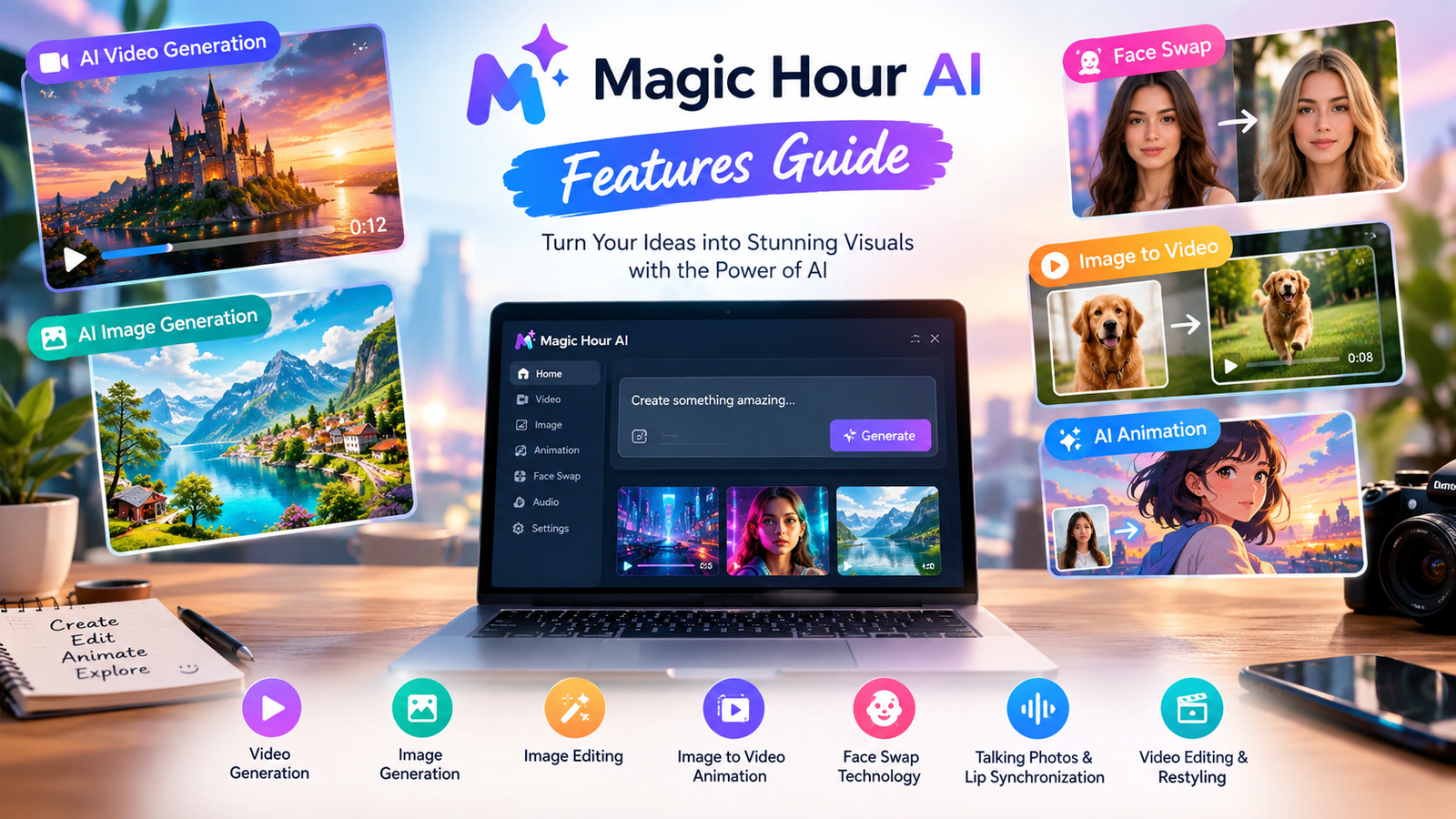
The platform brings several AI-powered features together in one online workspace. These features include text-to-video generation, image generation, image-to-video animation, face swapping, talking photos, and video editing. Depending on the selected tool, users can start with a written prompt, an existing image, or compatible media and transform their ideas into visual content.
People interested in exploring these capabilities can visit the Magic Hour AI official website to review the available tools and creative workflows. Understanding the platform’s features, limitations, and pricing can help users decide whether it suits their personal or professional projects.
What Is Magic Hour AI?
Magic Hour AI is an online platform that uses artificial intelligence to support image and video creation. Its tools are designed to simplify creative tasks that traditionally require several applications or advanced editing knowledge. The platform can help users experiment with visual concepts, produce short videos, animate photographs, and modify existing content.

One useful aspect of Magic Hour AI is its variety of creative workflows. Users can generate visuals from written descriptions, animate still images, or explore specialized features for modifying portraits and synchronizing facial movements with audio. The available options depend on the specific tool and its supported inputs.
For example, a blogger can create an illustration for an article, while a social media creator can experiment with a short AI-generated video. A business may use AI-generated visuals to develop promotional concepts before producing a final advertisement.
Magic Hour AI is accessible through a web browser, making it convenient for users who prefer online creative tools. However, individual features may have different requirements, account restrictions, credit costs, and export options.
Main Features of Magic Hour AI
Magic Hour AI offers a collection of tools for different creative needs. Understanding these features helps users choose the right option for their projects.
AI Video Generation
AI video generation is one of the most useful capabilities associated with Magic Hour AI. It allows users to create video content from written prompts or supported visual inputs. Instead of recording every scene manually, creators can describe their ideas and use artificial intelligence to generate an initial result.
A good prompt explains the subject, environment, movement, lighting, and overall atmosphere. For example, a user could describe a futuristic city at sunset, with illuminated buildings, moving vehicles, and cinematic camera movement.
The generated video depends on the selected model and the clarity of the instructions. Some results may require multiple attempts before they match the intended concept. Users should review each generation carefully and improve their prompts when necessary.
This feature can support social media clips, creative experiments, storyboards, and promotional concepts. However, important commercial videos may still require traditional editing and quality checks.
Read more about: teckjb.pro
AI Image Generation
The AI image generator helps users create images from written descriptions. Users can explain what they want to see and adjust their prompts to explore different visual styles, colors, environments, and compositions.
Magic Hour AI can be useful for creating concept art, blog illustrations, social media graphics, and preliminary marketing visuals. For example, a travel blogger might generate an imaginative landscape, while a designer could explore several concepts before choosing a final direction.
Image generation can reduce the time needed to develop an initial visual. Nevertheless, AI-generated images may contain inaccurate details, unusual object shapes, or imperfect text. Reviewing the image before publication is essential.
Users should also ensure that generated visuals accurately represent any products, services, or real-world events they are intended to illustrate.
Image-to-Video Animation
Image-to-video animation transforms a still image into a moving visual. This feature is helpful for users who already have photographs, illustrations, or AI-generated artwork that they want to animate.
For example, a creator could turn a landscape image into a short moving scene or add motion to an illustration for a social media post. Businesses might experiment with animated visuals for presentations or promotional concepts.
The quality of the animation depends on the source image, the instructions, and the selected generation settings. Complex images may produce unexpected movement, so users should inspect the final video and make adjustments when necessary.
AI Face Swap
Face swapping is another creative application of artificial intelligence. It allows users to replace a face in supported images or videos with another face, depending on the tool’s capabilities.
This technology can support fictional scenes, entertainment projects, and approved creative experiments. It can also introduce ethical concerns when someone uses another person’s likeness without permission.
Users should obtain appropriate consent before creating realistic face-swapped content involving other people. They should avoid deceptive impersonation, harassment, or material that could mislead viewers about a real person’s actions.
Responsible use is particularly important when publishing AI-generated media publicly or using it for commercial purposes.
Talking Photos and Lip Synchronization
Talking photo technology can make a portrait appear to speak. Lip synchronization tools can coordinate mouth movements with supplied audio or speech, depending on the selected workflow.
These features can help creators develop educational presentations, fictional characters, storytelling projects, and digital demonstrations. For example, an educator might experiment with an animated character to introduce a lesson.
Results depend on image quality, facial visibility, audio clarity, and the selected model. Facial expressions may occasionally appear unnatural, and lip movements may not perfectly match the audio.
When creating content that represents a real person, users should consider consent, transparency, and the possibility that viewers might mistake generated media for genuine footage.
AI Video Editing and Restyling
Magic Hour AI also provides video-related workflows that can help users modify or transform existing footage. Depending on the available feature, users may be able to experiment with different visual styles or make selected changes to their content.
These tools can be helpful when developing creative concepts or adapting existing material for a new project. However, AI editing does not guarantee that every frame will remain consistent or that every requested change will work perfectly.
Creators should inspect the final result, check important details, and use additional editing software when necessary.
How to Use Magic Hour AI
Getting started with Magic Hour AI is relatively simple. First, visit the official website and select a tool that matches your creative goal. Beginners can start with image generation or a short video project before exploring more advanced features.
Next, prepare the necessary input. A text-to-video workflow requires a written description, while image-to-video animation requires a suitable image. Other tools may accept audio, photographs, or video files.
Write a clear prompt that describes the intended result. Include details about the subject, setting, movement, lighting, and visual style. Specific instructions generally make it easier to communicate your idea, although the AI may not follow every detail exactly.
After entering the prompt or uploading your file, review the available settings. Depending on the selected tool, you may be able to choose an aspect ratio, duration, resolution, or generation model.
Check any displayed credit requirements before starting. Then generate the content and wait for the result. Processing time can vary depending on the model, settings, file size, and platform demand.
Once the output is ready, review it carefully. If it does not match your expectations, improve the prompt or adjust the source material and try again when your available credits allow it.
Finally, export or download the result if the selected tool supports that option. Before publishing, check the quality, accuracy, licensing requirements, and suitability of the generated content.
Benefits of Magic Hour AI
One major benefit of Magic Hour AI is convenience. The platform brings several creative tools together, allowing users to explore different media workflows without constantly switching between separate applications.
Another advantage is accessibility. Beginners can experiment with written prompts and simple settings without first learning every feature of professional video-editing software. More experienced creators can use AI generation to explore ideas, prepare drafts, and develop alternative concepts.
Magic Hour AI can also make creative experimentation faster. Rather than building every visual element manually, users can generate an initial version and refine it according to their needs.
The platform supports different types of content, including images, animations, and videos. This flexibility can be useful for bloggers, marketers, designers, educators, and social media creators.
Browser-based access is another practical advantage because users can explore supported workflows without installing a dedicated desktop application. However, a stable internet connection and a compatible browser are still important.
Despite these benefits, AI-generated content usually requires human review. Clear planning, careful editing, and attention to detail remain essential for producing useful and professional results.
Magic Hour AI for Content Creators
Content creators often need fresh visual material to maintain an active publishing schedule. Magic Hour AI can help them experiment with images, animations, and short videos for different audiences.
YouTube creators may explore visual concepts for introductions or supporting scenes. Bloggers can develop illustrations for relevant articles, while social media publishers can experiment with short animated clips.
The platform can also support brainstorming. A creator can test several visual approaches before deciding which idea deserves more time and attention.
However, generated content should provide genuine value to the audience. A visually impressive video may still be ineffective if it communicates an unclear message or contains inaccurate information.
Creators should also consider the requirements of their publishing platforms. Video dimensions, aspect ratios, audio quality, accessibility, and audience expectations can influence the final result.
Using Magic Hour AI as part of a broader content strategy can help creators explore new possibilities while maintaining editorial control over what they publish.
Magic Hour AI for Businesses
Businesses can explore Magic Hour AI for promotional concepts, product presentations, marketing visuals, and internal communication materials.
For example, a small business might generate a preliminary visual for a campaign before investing in a professional production. A marketing team could experiment with different creative directions to determine which concept best communicates its message.
AI-generated images and videos can also support brainstorming and presentation development. These applications may help teams explore ideas more efficiently during the early stages of a project.
However, businesses should carefully review any content used in advertisements. Product representations must be accurate, marketing claims should be verifiable, and generated people or endorsements must not mislead customers.
Companies should also confirm the commercial usage terms that apply to their accounts and generated assets. The ability to create content does not automatically mean that every output can be used for every commercial purpose.
Magic Hour AI Pricing and Free Access
Magic Hour AI provides access to selected creative tools through free and paid options. The exact features, generation allowances, and restrictions can vary according to the current plans and individual workflows.
Free access can be useful for beginners who want to test the platform before making a financial commitment. Users can explore suitable tools and determine whether the results meet their expectations.
Paid plans or credit packages may provide additional generation capacity or access to more features, depending on the available subscription. Before purchasing, users should review the Magic Hour AI pricing and plans page for current information.
Credit usage is an important consideration because different tools, models, and settings may consume different amounts of credit. Higher-resolution or more demanding generation tasks may require additional resources.
Users should compare the available plans with their actual needs. Someone creating occasional images may not require the same subscription as a business producing videos regularly.
It is also worth checking renewal conditions, cancellation policies, export options, and applicable usage rights before purchasing a plan.
Limitations of Magic Hour AI
Although Magic Hour AI provides useful creative features, it has limitations. AI-generated videos may contain unnatural movement, inconsistent objects, or unexpected changes between frames. Images can also include inaccurate details or imperfect text.
Another limitation is prompt interpretation. A generation model may misunderstand complex instructions, particularly when a scene includes multiple characters, precise movements, or several interacting objects.
Repeated generation can also consume credits and time. Users should therefore plan their projects and review available costs before beginning demanding tasks.
Some advanced features may require an account or paid access, and processing times can vary. Internet connectivity and supported file formats may also affect the overall experience.
Privacy is another important consideration. Users should understand the platform’s privacy policy before uploading confidential photographs, business materials, or sensitive information.
Finally, AI-generated media may require manual correction. Professional projects can need additional editing, factual verification, audio adjustments, and quality assurance before publication.
Is Magic Hour AI Worth Trying?
Magic Hour AI may be worth exploring for people interested in AI-assisted image and video creation. Its range of tools offers different ways to experiment with digital content without starting every project from scratch.
Whether it is the right choice depends on the user’s goals, budget, and quality requirements. Casual creators may find free access sufficient for experimentation, while businesses producing content frequently may need more capacity.
The most practical approach is to test one relevant feature with a small project. Evaluate the output quality, ease of use, generation cost, and amount of editing required.
This process provides a clearer understanding of the platform’s value than relying solely on promotional claims. Users should also review current feature availability and usage terms before committing to a paid plan.
Conclusion
Magic Hour AI provides a collection of tools for creating and editing AI-generated images, videos, and animations. Its features can help creators, beginners, and businesses explore digital content more efficiently. By choosing suitable tools, writing clear prompts, checking pricing, and reviewing results carefully, users can make informed decisions about using Magic Hour AI for their creative projects.