Table of Contents
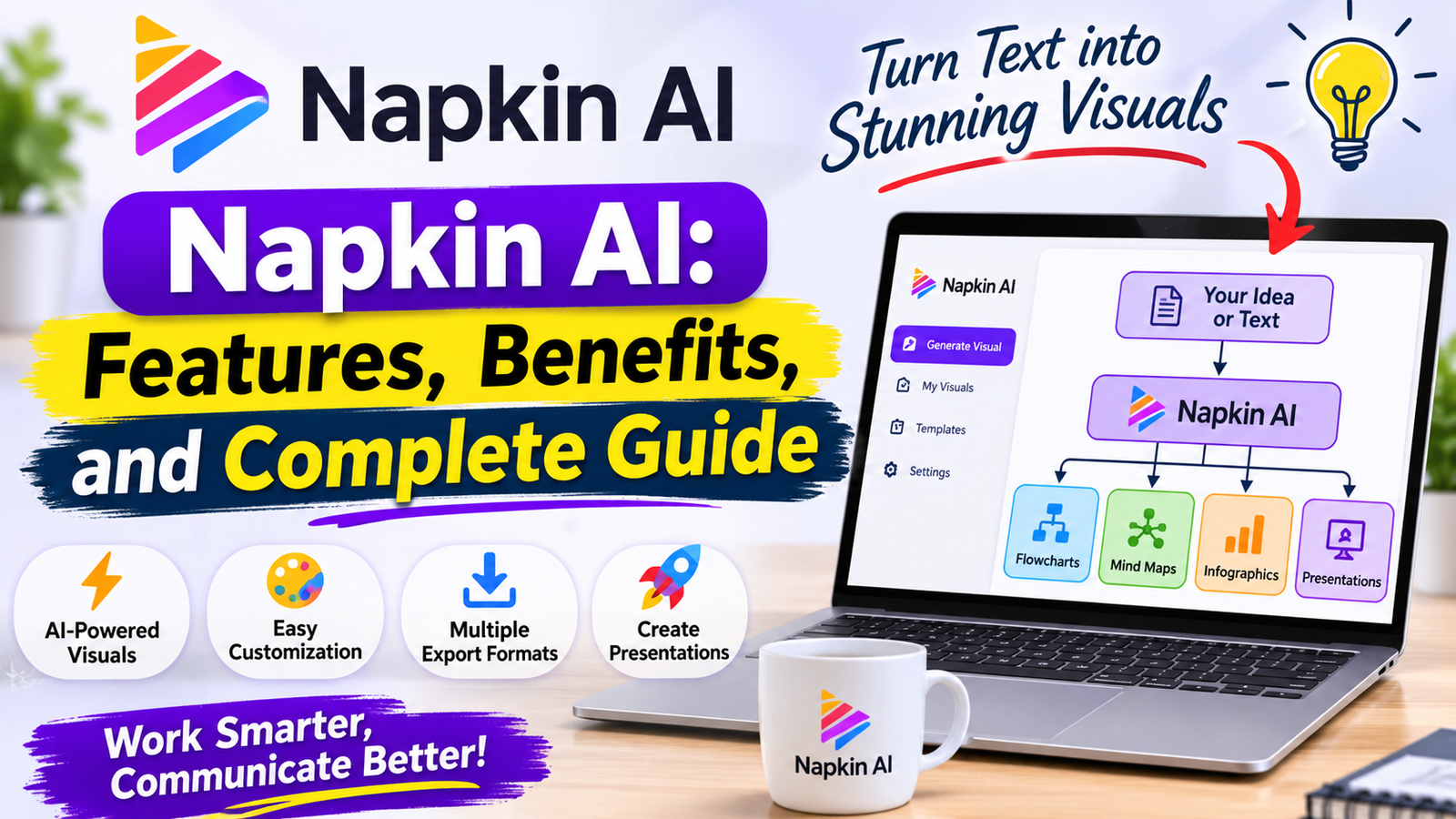
Napkin AI is an artificial intelligence-powered visual communication platform that helps people transform written information into attractive and easy-to-understand visuals. Creating professional diagrams, flowcharts, infographics, and presentations traditionally requires design experience and time. However, Napkin AI simplifies this process by allowing users to convert ordinary text into visual content with just a few clicks.
In today’s digital environment, visual communication has become increasingly important. Businesses need engaging presentations, teachers want understandable educational materials, and content creators require attractive graphics for websites and social media. Napkin AI addresses these needs by combining artificial intelligence with a simple editing environment.
One of the most interesting aspects of Napkin AI is that users do not always need complicated prompts to generate graphics. They can paste existing text, select a section, and allow the platform to suggest relevant visual representations. This makes Napkin AI useful for beginners as well as experienced professionals.
Whether someone wants to explain a business process, present research findings, organize project ideas, or create educational diagrams, Napkin AI provides a practical way to communicate information visually.

What Is Napkin AI?
Napkin AI is an AI-powered visual creation platform designed to transform text into diagrams, charts, mind maps, infographics, and other visual elements. Instead of starting with an empty design canvas, users can begin with information they have already written.
The platform analyzes the selected text and generates different visual suggestions based on its meaning and structure. Users can select their preferred design, customize its appearance, and export the finished result.
Napkin AI is particularly useful for people who want professional-looking visuals without spending hours learning complicated graphic design software.
The platform also offers Napkin Slides, which helps users develop complete presentations from their ideas. This expands its usefulness beyond individual diagrams and makes it a broader visual communication solution.
How Does Napkin AI Work?
Napkin AI follows a straightforward workflow that makes visual creation accessible to different types of users.
First, users create an account and open the workspace. They can paste written information directly into a document or import supported files. The platform supports formats such as PowerPoint, Word documents, PDF, HTML, and Markdown.
After adding content, users select the relevant text and activate the visual generation feature. Napkin AI analyzes the information and produces several visual suggestions.
Users can review the available designs and select the option that communicates their message most effectively. They can then customize colors, fonts, text, icons, and other visual elements.
The final design can be exported in supported formats for use in presentations, documents, websites, and other projects.
This process reduces the need to build every design element manually.
Main Features of Napkin AI
AI-Powered Text-to-Visual Generation
The central feature of Napkin AI is its ability to transform written information into visual content. Users can provide paragraphs, explanations, business ideas, or educational notes and generate relevant graphics.
For example, a business owner explaining a customer purchasing process can turn written steps into a flowchart. Similarly, a teacher explaining a scientific concept can create a visual diagram that makes the topic easier to understand.
This feature saves time and helps users present complicated information more clearly.
Professional Diagram Creation
Napkin AI supports different types of diagrams that help users organize and communicate information.
Flowcharts can explain processes and workflows, while mind maps can represent relationships between different ideas. Timeline graphics help display events in chronological order, and comparison charts make it easier to understand differences between multiple options.
These visual formats are valuable for business planning, education, research, and professional communication.
Custom Visual Generation
Another useful feature is Custom Generation. Users can guide the platform toward a particular visual format instead of depending entirely on automatic suggestions.
They can request a flowchart, mind map, timeline, comparison chart, or table. They can also select the visual orientation, including portrait, landscape, and square formats.
Additionally, users can choose between summary and detailed visual representations depending on how much information they want to display.
This feature provides more control over the final result.
Customization and Editing Tools
Generated visuals are not fixed designs. Napkin AI allows users to make changes after generation.
Users can modify text, adjust colors, change fonts, customize individual elements, and improve the overall appearance of their graphics.
This flexibility is important because automatically generated designs may not always match a particular brand or communication style.
Rather than accepting the first suggestion, users can refine their designs until they meet their requirements.
Multiple Export Formats
Napkin AI allows users to export their work in several formats, depending on their subscription and available export limits.
Common formats include PNG, PDF, SVG, and PowerPoint.
PNG is useful for websites and social media graphics. PDF works well for sharing and printing documents. SVG is particularly valuable when scalable graphics are required.
PowerPoint exports help users continue editing presentations in familiar presentation software.
Presentation Creation with Napkin Slides
Napkin Slides expands the platform’s capabilities by helping users turn ideas into complete presentations.
Instead of creating individual graphics one at a time, users can develop presentation content with the assistance of an AI agent.
The platform can help structure ideas into presentation slides, making it useful for meetings, educational sessions, project proposals, and business discussions.
Napkin Visuals and Napkin Slides are separate product experiences available under the same subscription structure.
Brand Customization
Maintaining consistent branding is important for businesses and professional creators.
Napkin AI offers branding options that allow users to customize visual styles, colors, and fonts depending on their subscription.
Paid plans provide additional branding capabilities, including custom brand styles and font uploads.
These options help organizations maintain a recognizable appearance across their presentations and visual materials.
How to Use Napkin AI Step by Step
Getting started with Napkin AI does not require advanced technical knowledge.
Visit the official Napkin AI website and create an account using the available registration options. Once registration is complete, open the workspace and create your first document.
Add your content by pasting written information into the document or importing a supported file.
Next, select the paragraph or section you want to transform. Click the Generate Visual option to allow Napkin AI to analyze your information and produce visual suggestions.
Review the generated designs and choose the one that best represents your original message.
After selecting a design, customize its appearance. Adjust the colors, fonts, labels, and other elements to make the visual more suitable for your project.
Finally, export your completed graphic in the format you need.
For example, someone preparing a business presentation can export a PowerPoint file, while a blogger can use a PNG graphic inside an article.
Benefits of Using Napkin AI
Napkin AI provides several advantages for people who regularly communicate information through visual content.
One major benefit is time efficiency. Traditional graphic creation often requires arranging shapes, selecting icons, adjusting layouts, and organizing information manually. Napkin AI automates much of the initial design process.
Another advantage is accessibility. Beginners can create useful diagrams without having professional graphic design experience.
The platform also improves information presentation. Long explanations can sometimes become difficult to understand, especially when they contain several connected ideas. Visual representations help readers recognize relationships and follow processes more easily.
Customization provides another important benefit. Users can modify generated designs instead of relying on completely automated results.
Additionally, multiple export options make it easier to reuse graphics across different digital platforms.
Napkin AI for Bloggers and SEO Professionals
An interesting application of Napkin AI is its potential usefulness for website owners, bloggers, and SEO professionals.
High-quality articles often contain complex explanations that can become easier to understand when supported by relevant visual content.
For example, an article about search engine optimization can include a flowchart explaining how keyword research, content optimization, technical SEO, and link building work together.
Similarly, a tutorial about website indexing can use a diagram to explain the relationship between crawling, indexing, and ranking.
Napkin AI can help transform these explanations into visual resources that complement written content.
Bloggers can also use generated graphics for social media promotion, educational posts, and website guides.
However, adding visuals does not automatically improve Google rankings. Search performance still depends on content quality, relevance, technical performance, user experience, and other SEO factors.
The real value of Napkin AI for bloggers is its ability to make useful information easier to understand and share.
Napkin AI for Students and Teachers
Education is another area where Napkin AI can be helpful.
Students frequently work with complicated subjects that involve multiple concepts and relationships. Converting written notes into diagrams can make revision and learning more organized.
For example, history students can create timelines, while science students can represent biological processes through flowcharts.
Teachers can also use Napkin AI to prepare classroom materials and explain difficult subjects through visual examples.
Instead of presenting long paragraphs on every slide, educators can introduce diagrams that highlight the most important information.
These visuals can support classroom presentations, assignments, study guides, and educational documents.
Nevertheless, students should always check the accuracy of generated information before including it in academic work.
Napkin AI for Businesses and Marketing Teams
Businesses often need to explain strategies, workflows, marketing plans, and operational processes to employees or customers.
Napkin AI can help turn these explanations into professional visual materials.
Marketing teams can create customer journey diagrams, campaign planning visuals, and product comparison graphics.
Managers can use flowcharts to explain internal procedures and organize responsibilities.
Startup founders can present business models and project ideas in a more understandable format.
The platform can also support brainstorming sessions by turning complicated discussions into organized visual structures.
For small businesses, these capabilities can reduce dependence on specialized design resources for everyday visual communication.
However, important commercial presentations should always receive human review before being shared with clients or stakeholders.
Napkin AI Pricing and Plans
Napkin AI offers free and paid subscription options. The available features and AI credit limits differ between plans.
The Free plan is suitable for people who want to explore the platform before paying for additional features. According to its published pricing information, it includes 500 AI credits per week, unlimited visual editing, supported file imports, and unlimited PNG and PDF exports.
The Plus plan is designed for users who require more generation capacity and additional export and branding options. Its published monthly price is $9 per person.
The Pro plan provides a higher monthly credit allowance and additional customization features. Its published monthly price is $22 per person.
Annual billing may offer savings compared with monthly subscriptions.
Users should understand that AI credits are consumed by certain generation activities. The amount depends on the action being performed, and the platform displays applicable usage information.
Pricing and features can change, so checking the official pricing page before purchasing is recommended.
Is Napkin AI Free to Use?
Yes, Napkin AI offers a free plan that allows users to explore its main visual creation features.
The free option can be useful for students, individual creators, bloggers, and people who only need occasional diagrams.
However, free users have a limited weekly AI credit allowance. Some advanced export and branding features are also restricted compared with paid subscriptions.
For someone creating only a few graphics each week, the free plan may be sufficient.
Users who regularly create presentations or large amounts of visual content may find a paid subscription more suitable.
It is sensible to test the free version before deciding whether an upgrade is necessary.
Napkin AI vs Traditional Graphic Design Software
Traditional graphic design applications generally provide extensive creative control. Users can manually arrange elements, create illustrations, adjust complex layouts, and build designs from scratch.
However, this flexibility often requires additional time and design knowledge.
Napkin AI takes a different approach. It focuses on converting existing written information into visual representations.
This makes it particularly convenient when the primary goal is explaining information rather than producing highly customized artwork.
For example, a designer creating a detailed advertising campaign may prefer a dedicated graphic design application. On the other hand, a teacher who wants to turn written lesson notes into a mind map may find Napkin AI more convenient.
These tools are not necessarily competitors in every situation. They can complement each other within the same creative workflow.
Limitations of Napkin AI
Although Napkin AI offers useful features, it is important to understand its limitations.
First, automatically generated visuals may not always represent the original information perfectly. Sometimes a diagram can omit an important detail or organize information in a way that requires correction.
Second, users still need to understand basic visual communication principles. A graphic with too much text, unnecessary icons, or confusing connections may become difficult to read.
Third, the free plan has AI credit restrictions. People generating visuals frequently may need to consider a paid subscription.
Another limitation is that Napkin AI is not a complete replacement for every design application. Complex illustrations, advanced photo editing, and highly specialized graphic projects may require other tools.
Users should also review exported materials before publishing them. Names, statistics, labels, and technical details deserve particular attention.
Understanding these limitations helps users make better decisions and avoid depending entirely on automatic generation.
New and Useful Ways to Use Napkin AI
Beyond ordinary diagrams and presentations, Napkin AI can support several creative workflows.
One interesting application is creating visual summaries of lengthy articles. A blogger can select the most important ideas from a guide and transform them into an infographic that provides readers with a quick overview.
Another application is converting business procedures into workflow diagrams. Small companies can use these visuals to explain how customer inquiries, orders, or support requests move through different stages.
Content creators can also prepare educational graphics for Pinterest and other social platforms. A well-organized visual summary can make a complicated topic more approachable.
Another useful approach is combining Napkin AI with presentation software. Users can generate a visual concept, export it, and continue refining the presentation in PowerPoint or Google Slides.
These practical applications demonstrate that Napkin AI is not limited to creating attractive graphics. It can also help people organize knowledge, communicate processes, and make information more accessible.
Tips for Getting Better Results from Napkin AI
The quality of generated visuals depends partly on the information provided.
Start with clear and well-organized text. If the original explanation is confusing, the generated diagram may also become confusing.
Avoid including too many unrelated ideas in one visual. Separate complicated subjects into smaller sections so each graphic communicates a specific message.
Use Custom Generation when you need a particular layout, such as a timeline or comparison chart.
Choose an appropriate orientation for the final destination. Landscape designs often work well in presentations, while portrait graphics can be suitable for mobile-focused content.
Always review the generated result before exporting it. Correct inaccurate labels, remove unnecessary elements, and make sure the visual communicates the intended message.
Finally, maintain consistency when creating multiple graphics for the same website, presentation, or business.
Is Napkin AI Worth Using?
Napkin AI can be a valuable option for people who regularly convert written information into visual content.
Its biggest advantage is the ability to begin with existing text rather than building every graphic manually. This approach makes visual creation faster and more approachable.
Students can use it to organize learning materials, teachers can prepare educational diagrams, and business professionals can communicate processes more effectively.
Bloggers and digital marketers can also benefit from using relevant graphics to support their written content.
However, the platform is most effective when users combine AI-generated suggestions with their own judgment and editing skills.
It should be considered a productivity and visual communication tool rather than a replacement for human creativity, fact-checking, or professional design expertise.
Read more about:
Frequently Asked Questions About Napkin AI
What is Napkin AI mainly used for?
Napkin AI is mainly used to transform written information into visual content, including diagrams, flowcharts, mind maps, infographics, and presentations.
Can beginners use Napkin AI?
Yes. Its straightforward workflow makes it accessible to beginners who want to create visuals without advanced graphic design experience.
Does Napkin AI support PowerPoint?
Yes. Users can export supported visuals and presentations into PowerPoint formats, with editing capabilities depending on the exported elements.
Can I use Napkin AI for blogging?
Yes. Bloggers can create diagrams, visual explanations, and infographics to support their articles and educational content.
Does Napkin AI have a free version?
Yes. It provides a free plan with weekly AI credits and several useful visual creation and export features.
Can Napkin AI create mind maps?
Yes. Users can request mind maps through its Custom Generation feature and customize the resulting visual.
Is Napkin AI a replacement for graphic designers?
No. It can simplify many visual creation tasks, but complex branding, illustrations, and specialized design projects may still require professional design applications and human expertise.
Conclusion
Napkin AI is an interesting artificial intelligence platform that makes visual communication easier by transforming written ideas into diagrams, infographics, charts, and presentations. Its text-to-visual generation, customization options, multiple export formats, and presentation capabilities make it useful for students, educators, businesses, bloggers, and content creators.
The platform offers a convenient starting point for people who want to communicate complicated information without spending excessive time creating graphics manually. Its free plan also gives beginners an opportunity to explore its features before considering a paid subscription.
Overall, Napkin AI is worth exploring for anyone interested in improving the way they organize, explain, and present information. The best results come from combining its AI-powered capabilities with accurate information, thoughtful editing, and a clear understanding of the audience.