
Table of Contents
Running a restaurant is exciting, but it is also demanding. Orders arrive from the counter, the website and delivery apps at the same time, ingredients run out without warning, and staff changes shift every week. Many owners spend long hours collecting numbers from different places without knowing which figures really matter. A reporting dashboard is meant to remove that confusion, and the dashboard Petpooja offers is designed to show restaurant performance clearly in one place. It brings sales, inventory, online orders and customer activity together so owners can understand their business without searching through scattered files.
The dashboard Petpooja provides has become a popular topic among restaurant owners who want to move from guesswork to data-based management. Instead of waiting for a monthly summary from an accountant, they can check useful figures during the week and react while there is still time to change results. This approach helps small cafes as well as larger multi-outlet brands. In this article, we look at what the platform is, how its reporting view works, its main features, its limits and the best ways to use it.
What Is Petpooja?
Petpooja is a restaurant point-of-sale and management platform used for billing, order handling, inventory control and business reporting. Its official website describes a cloud-based system that supports restaurants, cafes, cloud kitchens and other food businesses. The company states that the platform is available in India, the United States, Canada, Saudi Arabia, South Africa and the United Arab Emirates.
The reporting side of the platform is what most owners notice first. Billing activity creates data automatically, and that data becomes reports on sales, taxes, discounts, staff actions and stock movement. The dashboard Petpooja customers open is therefore the visible face of everything that happens behind the counter.
Unlike a basic billing machine that only prints receipts, this system keeps a record of each action and turns it into information. That change is what makes the dashboard Petpooja useful for decisions and not only for record keeping.
How Does the Dashboard Work?
The dashboard Petpooja uses is fed by the point-of-sale system. When a cashier punches a bill, applies a discount or closes a table, the action is stored and reflected in reports. Online orders from connected channels can also appear in the same data pool, which helps owners avoid separate records for each sales channel.
Owners can open the reporting view through a web login or the merchant app, according to the company. This means the figures are not locked inside one computer at the restaurant. A manager can check yesterday’s sales from home, and an owner with several branches can compare outlets while travelling.
Reports are grouped by topic, such as sales, inventory, customers and staff activity. Filters make it possible to view a specific date, outlet or channel. When someone needs a different layout, the dynamic reports add-on offers customizable formats. In simple words, the dashboard Petpooja shows is built from live billing data, so the quality of the output depends on how carefully the team enters orders and stock.
Main Features of the Dashboard
Real-Time Reports
Real-time reporting is the heart of the system. Petpooja says it provides more than eighty reports covering restaurant sales, online orders, cash flow, inventory and customer data. Some third-party software directories mention one hundred or more reports, so the exact count may depend on the plan and the version.
Typical examples include day-end sales, hourly order trends, inventory consumption, staff activity and revenue summaries. The dashboard Petpooja customers check each morning therefore works like a daily health report for the restaurant.
Dynamic Reports
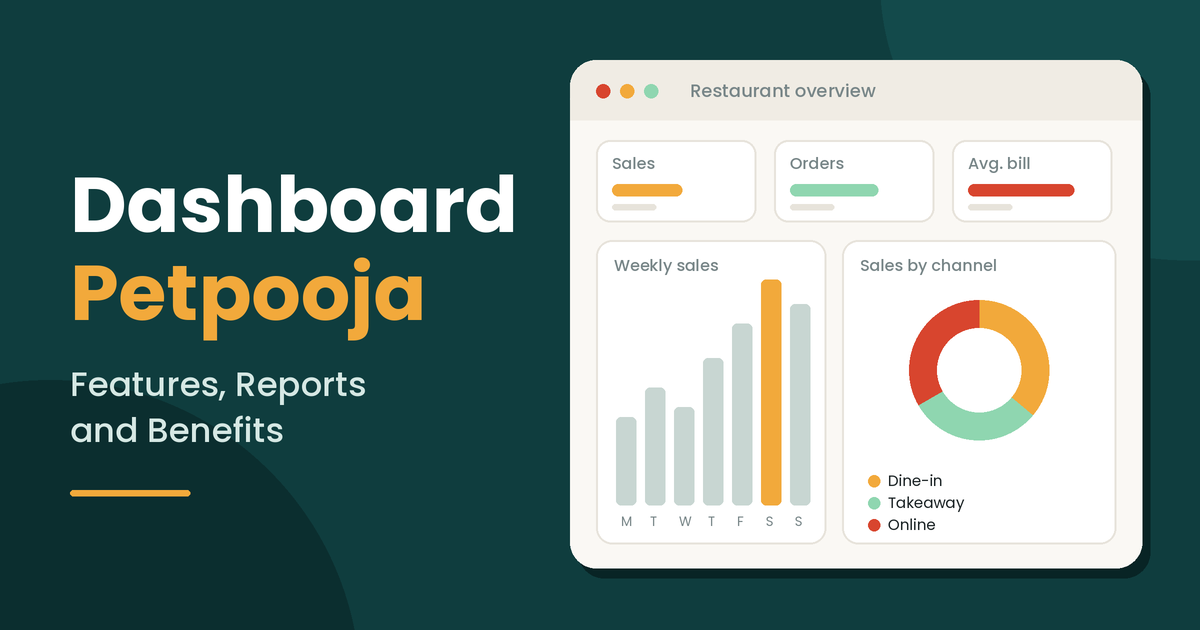
Dynamic reports are a customizable layer designed for owners who want charts and formats suited to their business. The company’s marketplace shows examples such as donut charts for dine-in, takeaway, online and delivery sales, weekly sales charts and year-on-year growth charts.
A software marketplace listing also says users can upload existing spreadsheet reports and see them in more visual forms. This helps businesses that are used to Excel and want to keep familiar structures while gaining better visuals from the dashboard Petpooja provides.
Multi-Outlet Monitoring
Owners with several branches need one place to compare locations. Petpooja states that users can monitor multiple outlets and brands from a single dashboard, and a marketplace listing mentions a head office module for central control.
With this setup, the dashboard Petpooja offers can show which outlet sells more, which one gives larger discounts and which one has a weaker average bill. These comparisons are difficult to make when each branch sends separate paper reports.
User Rights and Access Control
Not every employee should see every figure. The platform includes user rights management, so owners can decide who may view reports, change menu items or edit settings. Unlimited users and terminals are listed among the features of some plans.
This feature protects sensitive numbers on the dashboard Petpooja shows and reduces the risk of accidental changes.
Inventory and Cost Reports
Food cost is one of the biggest expenses in a restaurant. Petpooja’s inventory module supports item-wise auto deduction, low-stock alerts and day-end inventory reports. When a dish is sold, the related ingredients can be reduced from stock automatically.
These records help owners compare expected consumption with actual stock and notice wastage early. When stock data flows into the dashboard Petpooja customers use, purchasing decisions become easier and less emotional.
Online Order Reconciliation
Delivery platforms add sales, but they also add complexity through commissions and payout cycles. Petpooja lists an online order reconciliation feature that matches aggregator orders against POS data, so missing entries and mismatches are easier to find.
Because the dashboard Petpooja provides collects these records together, owners can see how much each channel contributes instead of relying only on payout statements.
Customer and Loyalty Reports
Petpooja’s blog explains that loyalty functions can be controlled from the POS, including cashback or points, expiry periods, wallet top-ups and redemption through OTP. Reports on wallet balances and usage can appear on the dashboard. The platform also includes an in-built CRM and branded SMS from the same panel.
Seeing repeat customers on the dashboard Petpooja offers helps owners plan targeted offers instead of sending the same message to everyone.
Integrations
The company says users can manage more than one hundred and fifty third-party integrations and services from the POS, covering areas such as online ordering, loyalty, payments and accounting. A marketplace page also mentions eleven exclusive services.
This is why the phrase single dashboard appears so often in the company’s own material: the dashboard Petpooja presents is meant to reduce the number of separate portals staff must open.
Read more about: super logout
Benefits of Using the Dashboard
The first benefit is time. Automatic reports reduce the need to type figures into spreadsheets, so managers can spend more of their day with guests and staff.
The second benefit is speed. When the dashboard Petpooja shows a sudden rise in discounts or cancelled orders, the owner can ask questions the same day. Late discovery is more expensive than early discovery.
The third benefit is clarity. Sales, stock and customer information are easier to understand when they are shown together. An owner can see that a popular dish also has a high ingredient cost and decide whether to adjust its price or portion.
The fourth benefit is control across locations. Chains can use the dashboard Petpooja offers to keep prices, taxes and menus consistent, while still allowing each outlet to see its own performance.
Finally, there is confidence. Decisions about staffing, purchasing and promotions feel safer when they are supported by recent data instead of memory.
How to Use the Dashboard Step by Step
Begin by cleaning the menu. Every item should have a clear name, a correct category and an accurate price, because messy data creates confusing charts on the dashboard Petpooja customers read.
Next, set user rights. Give cashiers, managers and owners the access they need and nothing extra.
After that, connect the channels you actually use, such as your website or delivery apps, so online orders appear in the same records.
Then build a daily habit. In the morning, review yesterday’s sales, order counts and channel split. During service, watch for unusual voids or discounts. At closing, compare the day-end report with cash and digital payments.
Once a week, study category performance and average ticket size. Once a month, review expenses, inventory consumption and customer return rates. This routine turns the dashboard Petpooja provides into a management tool and not only a screen.
Dashboard Use for Different Restaurant Types
A single cafe owner may mostly need quick daily summaries, tax reports and stock alerts. A cloud kitchen operator may care more about virtual outlet comparisons, delivery channel performance and payout accuracy. The company’s marketplace examples include virtual outlet reports showing orders, total sales and ticket size.
A franchise or multi-brand group will rely on head office controls and outlet benchmarking. Each of these users opens the same dashboard Petpooja offers but focuses on a different area.
Petpooja also lists a central kitchen module in some plans, which may suit businesses that prepare food in one location and supply several outlets.
Is the Platform Safe and Reliable?
Petpooja states that it processes a very large number of bills every day and describes its system as a reliable billing solution. Independent directories also list user reviews, which can give a more balanced picture than company claims alone. One reviewer on a software directory described the reporting part as comfortable and the dashboard as quite good.
Still, no software is perfect. Owners should read the privacy policy and terms, ask how data is stored and backed up, and confirm how offline mode works. Offline compatibility is listed among the features, but users should ask how data syncs when the internet returns, because the dashboard Petpooja displays can only be as accurate as the data that reaches it.
Limitations to Understand
First, the number of reports and features varies by plan and region, as shown by different figures on the official site and third-party listings. Always confirm what your plan includes.
Second, dynamic reports and some marketplace services may be add-ons. Ask about pricing before assuming they are included.
Third, reports depend on correct staff entry. If items are billed under wrong categories or stock is updated late, the dashboard Petpooja shows will reflect those mistakes.
Fourth, a dashboard cannot make decisions. It shows patterns, but owners still need to interpret them and act.
Fifth, new users may need training. Online installation and training are mentioned in listings, yet teams should still plan time to learn.
Tips for Getting Better Value
Compare similar days. Looking at one Friday against another Friday gives a more honest view than comparing a weekday with a weekend.
Review discounts regularly, because small discounts repeated many times can reduce margins quietly.
Use category reports to remove weak dishes and promote strong ones. Check the cost of popular items on the dashboard Petpooja customers see, not only their sales volume.
Share selected figures with managers, so the people who influence results can see them. Also, request a live demo before buying and test your own situations, such as split bills, delivery orders and stock adjustments. You can review the official product pages at the Petpooja restaurant POS website and read independent opinions on the Petpooja page on GetApp.
Treat the first month as a learning period. Note your key figures at the start, then compare them after thirty days of consistent use. If the dashboard Petpooja shows lower food cost, fewer billing errors or a clearer channel split, the system is paying for itself. If not, review staff entry habits before blaming the tool, because the dashboard Petpooja customers rely on is only as strong as the daily discipline behind it.
Who Should Use This Dashboard?
It may suit restaurant owners who still depend on paper summaries or several unrelated tools. It can help managers who want faster day-end checks and owners who run more than one outlet.
It may also be useful for cloud kitchens and cafes that sell through delivery apps and need clearer records. However, a very small food stall that serves only a few customers each day may not need a full reporting suite.
The best way to decide is to test the dashboard Petpooja offers with a demo and compare its reports with your actual needs.
The Future of Restaurant Reporting
Restaurant technology continues to move toward cloud systems, mobile access and connected tools. Owners expect to see live figures on a phone, and guests expect quick service across several ordering channels.
In this environment, a dashboard that unites billing, delivery orders, inventory and customer data has clear value. The dashboard Petpooja provides reflects this direction by combining reports, integrations and multi-outlet control in one system.
As more restaurants adopt data habits, the difference between guesswork and informed management will become more visible.
Conclusion
The dashboard Petpooja offers gives restaurant owners a clear view of sales, stock, online orders and customer activity. Its value depends on accurate data entry and regular review. Test the dashboard Petpooja offers with a live demo, confirm plan details, and use it every day.