
Table of Contents
For students at the University of Dar es Salaam (UDSM), managing academic information online can make university life much easier. One of the important digital platforms students use is ARIS 3 UDSM.
ARIS 3 is designed to support academic and administrative activities, including student registration, academic records, examination results, and other university-related services. The University of Dar es Salaam currently identifies ARIS 3 as one of its main academic systems, while its Access Portal provides a centralized way to reach different UDSM digital services.
Whether you are a new student, continuing student, postgraduate student, or someone who simply wants to check academic information, understanding how ARIS 3 works can save you time and reduce confusion.
In this complete guide, we will explain ARIS 3 UDSM, how to access the system, how the login process works, what students can use the platform for, common problems, account security tips, and frequently asked questions.

What Is ARIS 3 UDSM?
ARIS 3 UDSM is an academic information and registration system used by the University of Dar es Salaam.
The platform brings several student-related academic and administrative functions into one digital environment. According to UDSM’s Directorate of ICT, ARIS 3 supports academic records, registration, results, and related student services.
Instead of depending entirely on physical offices and paperwork, students can use the online system for many university processes.
The system is particularly useful because university information can be accessed electronically, making it easier for students to manage their academic journey.
Some of the areas associated with ARIS 3 include:
- Student academic records
- Academic registration
- Examination results
- Registration-related services
- Student information
- Financial and invoice-related processes
- Transcript-related services
- Research-related processes for eligible postgraduate students
- Other academic administration functions
The exact options available to a student can depend on their programme, status, and university permissions.
Why Is ARIS 3 Important for UDSM Students?
University students deal with many academic responsibilities. Registration deadlines, examination results, academic records, payments, research activities, and other administrative requirements can become difficult to manage if everything depends on physical documents.
ARIS 3 helps bring many of these processes into an online environment.
For example, UDSM documentation has previously instructed students to use the ARIS system for registration and online payment processes.
This makes the platform an important part of the student’s digital experience at UDSM.
Main Benefits of ARIS 3
ARIS 3 can help students:
- Manage academic registration
- View available academic information
- Check examination results
- Review academic records
- Handle certain registration-related tasks
- Follow financial or invoice-related processes
- Access relevant student services
- Complete some processes without visiting an office
- Manage research-stage activities where applicable
The system therefore acts as an important connection between students and university administration.
Read more about: crypto information
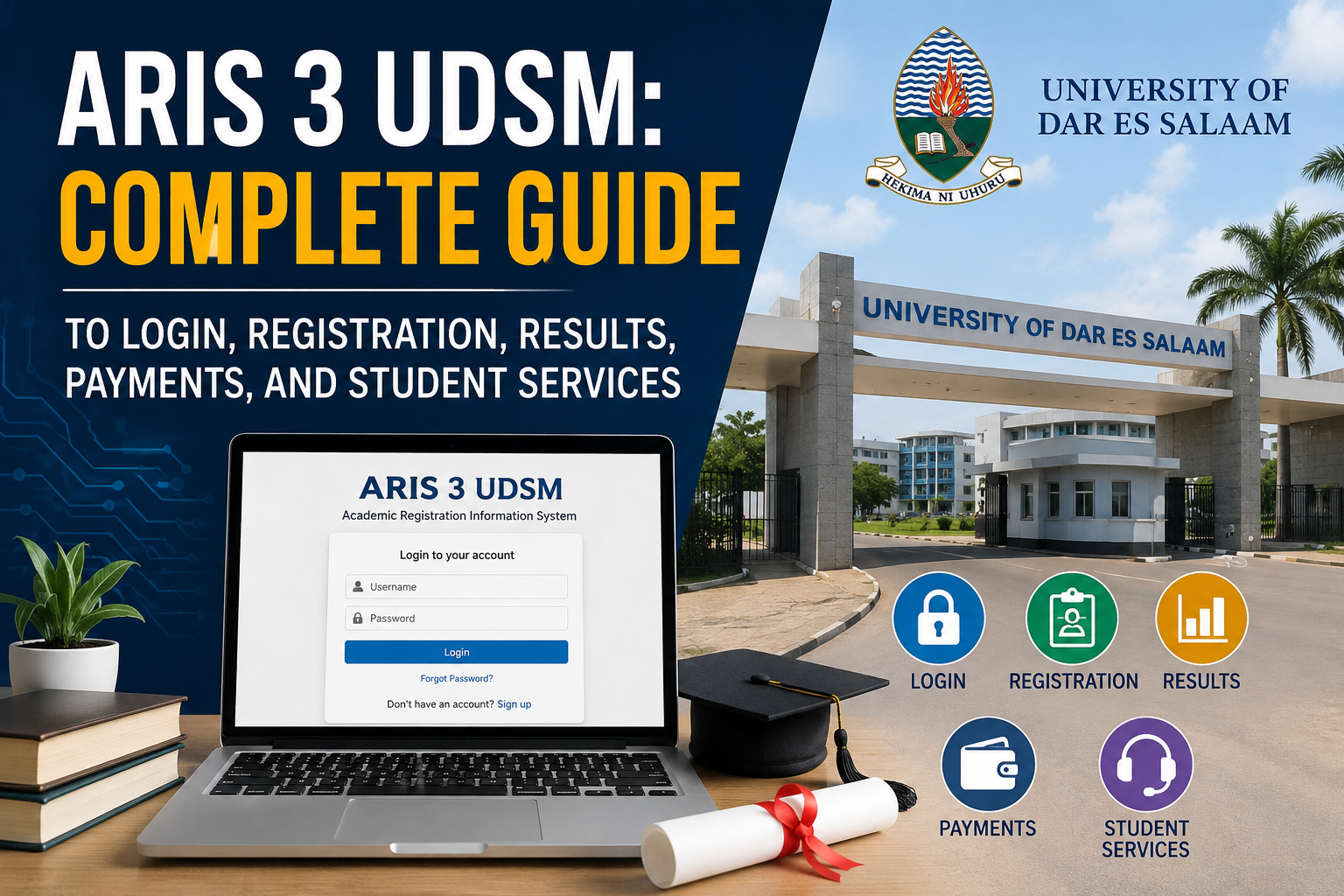
ARIS 3 UDSM Login
One of the most common searches related to the platform is ARIS 3 UDSM login.
Students normally need their authorized UDSM credentials to access the system.
The University of Dar es Salaam’s official materials identify the ARIS 3 address as:
https://aris3.udsm.ac.tz/
UDSM’s newer Access Portal also lists ARIS3 among the systems available through its centralized university-services gateway.
How to Log In to ARIS 3 UDSM
Follow these general steps to access your account:
- Open a modern web browser on your phone, tablet, or computer.
- Visit the official UDSM ARIS 3 system.
- Enter your authorized username or registration credentials as requested by the system.
- Enter your password.
- Check that your login information has been entered correctly.
- Select the login option.
- Wait for your student dashboard to load.
Once you successfully log in, the available options will depend on your account and student status.
Important Login Advice
Always make sure you are using the official UDSM system.
Avoid entering your password into websites that simply copy the appearance of a university login page.
If you reach ARIS through the official UDSM Access Portal, you can also confirm that you are accessing a recognized UDSM service. The university describes the Access Portal as a centralized gateway to its systems and services.
How to Access ARIS 3 Through the UDSM Access Portal
UDSM currently provides an Access Portal designed to make university systems easier to reach.
The portal lists ARIS3 together with other services such as the Learning Management System, admission-related systems, library services, and other platforms.
This is useful because students do not necessarily have to remember every university system separately.
The general process is:
- Open the official UDSM Access Portal.
- Sign in using your UDSM credentials where required.
- Look for ARIS3 in the available systems.
- Select ARIS3.
- Continue to the services available to your account.
The centralized portal also helps students identify current university system links instead of relying on random third-party websites.
What Can Students Do on ARIS 3 UDSM?
ARIS 3 is more than a simple login page. It is designed to support several academic and administrative functions.
The exact services available can change according to university procedures and the student’s account.
1. Academic Registration
Academic registration is one of the key reasons students use ARIS 3.
Students may need to complete registration-related processes at the beginning of an academic period.
Registration can be an important requirement because students need to maintain their academic status according to university procedures.
Students should always follow the current registration instructions and deadlines published by UDSM.
2. Check Academic Results
Another important feature associated with ARIS 3 is access to examination and academic results.
Instead of waiting for physical documents, students can use the university’s digital systems to view available academic information.
The university’s Directorate of ICT specifically describes ARIS 3 as a system for academic records and results.
If results do not appear immediately, students should remember that publishing and updating academic information may take time.
3. Manage Academic Records
Academic records are an important part of university life.
They can include information related to a student’s academic progress and programme history.
Keeping these records accessible online helps students review their academic information when necessary.
For official documents such as transcripts and certificates, students should follow the specific procedures provided by UDSM rather than assuming that every document can be downloaded directly from ARIS 3.
UDSM’s Directorate of Undergraduate Studies provides specific procedures and forms related to transcript requests and certificate requests.
4. Registration and Financial Processes
ARIS 3 may also be involved in financial and invoice-related processes connected with student registration.
UDSM’s official joining instructions have described using the ARIS account for registration and payments, including creating an invoice before proceeding with relevant steps.
Because university payment procedures can change, students should always follow the latest instructions shown by UDSM.
Do not rely on outdated screenshots or old blog posts when dealing with financial information.
How to Create or Activate Your ARIS 3 Account
Account creation or activation can depend on your student status and the university’s current procedures.
New students may receive account instructions as part of their admission or registration process.
Before attempting to create another account, check the official instructions provided by UDSM.
A typical process may involve:
- Accessing the official ARIS 3 platform.
- Selecting the appropriate account or registration option if available.
- Providing the requested student information.
- Creating or receiving login credentials.
- Completing any required verification.
- Logging into the account.
- Checking that your academic information is correctly displayed.
Do not create multiple accounts unless UDSM specifically instructs you to do so.
If your account already exists but you cannot access it, password recovery or official ICT support may be more appropriate.
ARIS 3 UDSM Password Problems
Forgetting a password is a common problem with online university systems.
If you cannot remember your password, first look for the password recovery option on the official login page.
Follow the instructions provided by the university system.
You should never send your password to another person through social media or email.
If password recovery does not work, contact the appropriate UDSM support channel.
The University’s Directorate of ICT provides ICT support for issues involving systems such as ARIS and other university digital services.
Common ARIS 3 UDSM Login Problems
Sometimes students may know their credentials but still have difficulty accessing the system.
There can be several possible causes.
Incorrect Username or Registration Number
Make sure you are entering the correct information.
Check:
- Spelling
- Numbers
- Capitalization
- Spaces
- Keyboard settings
If you continue receiving an error, confirm your credentials through official university support.
Incorrect Password
Passwords are case-sensitive in many systems.
Make sure Caps Lock is not accidentally enabled.
If you recently changed your password, use the updated password rather than an older one.
Website Not Loading
If ARIS 3 does not load, the problem may not necessarily be your account.
Possible causes include:
- Internet connection problems
- Temporary server issues
- Browser problems
- Heavy traffic
- Maintenance
- Network restrictions
Try refreshing the page after a short period.
You can also try another browser or device.
Slow Website During Busy Periods
University systems can experience high demand during important academic periods.
For example, many students may attempt to access the platform around registration or examination-result periods.
If the website becomes slow, wait for a while and try again rather than repeatedly refreshing the page.
How to Troubleshoot ARIS 3 UDSM
If you are unable to access ARIS 3, work through these basic troubleshooting steps.
Step 1: Check Your Internet
Make sure your device has a stable connection.
Try opening another trusted website to determine whether the problem is specific to ARIS 3.
Step 2: Refresh the Page
A temporary connection problem may disappear after refreshing.
Step 3: Try Another Browser
If the page does not work correctly, try another updated browser.
Step 4: Clear Temporary Browser Data
Old cached files can sometimes cause website problems.
Clearing browser cache and cookies may help.
Step 5: Try Another Device
If possible, use another phone or computer to determine whether the issue is related to your device.
Step 6: Wait and Try Again
If the university system is temporarily unavailable, waiting may be the simplest solution.
Step 7: Contact UDSM ICT Support
If the problem continues, contact the university’s official ICT support team.
UDSM’s Directorate of ICT specifically directs users to its Helpdesk for technical problems involving ARIS, LMS, email, internet, and other university systems.
ARIS 3 UDSM for Postgraduate Students
ARIS 3 is also relevant to postgraduate academic processes.
UDSM has published an official ARIS 3 Online Supervision User Guide for students.
The guide explains that the Online Supervision feature supports research-stage activities such as proposal development, research clearance, data collection, intention to submit, examination arrangements, and examination-related processes.
This shows that ARIS 3 is not limited to basic undergraduate registration.
For eligible postgraduate students, the platform can support parts of the research and supervision workflow.
The official guide also states that a student needs an ARIS 3 user account, an active account, and registration before using the Online Supervision feature.
ARIS 3 Online Supervision
Research students often have multiple stages to complete before submitting a dissertation or thesis.
The ARIS 3 Online Supervision feature is designed to organize several of these activities digitally.
According to the official UDSM guide, these include:
- Proposal development
- Research clearance permit processing
- Data collection
- Intention to submit
- Examination arrangement approval
- Examination processes
This can make research administration more organized because students and supervisors can work through defined digital processes.
Students should still follow their department, faculty, school, or postgraduate office instructions because individual programmes may have additional requirements.
ARIS 3 UDSM and Academic Records
Academic records are among the most important information students need throughout their university journey.
Students may need academic information when:
- Applying for further studies
- Requesting transcripts
- Checking academic progress
- Preparing for graduation
- Completing university procedures
- Reviewing examination performance
ARIS 3 provides an important digital environment for academic records and results.
However, students should distinguish between viewing academic information online and obtaining an official academic document.
For official transcripts or certificates, use the current UDSM procedures.
ARIS 3 and Student Registration
Registration is an essential part of maintaining student status.
Students should pay attention to official registration announcements and deadlines.
A good approach is to:
- Read the latest UDSM registration instructions.
- Log into ARIS 3.
- Review your registration status.
- Complete the required steps.
- Check for any outstanding requirements.
- Save or print relevant confirmation where appropriate.
- Keep your login information secure.
Do not wait until the final day if you can complete your registration earlier.
Technical problems are easier to resolve when you have enough time.
How to Keep Your ARIS 3 Account Secure
Your university account contains personal and academic information, so protecting it is important.
Use a Strong Password
Choose a password that is difficult for other people to guess.
Avoid obvious combinations such as your name, birthday, or simple number sequences.
Do Not Share Your Password
Never give your ARIS 3 password to friends or strangers.
University staff should not need your password simply to provide routine technical assistance.
Avoid Suspicious Links
Only use official UDSM websites and recognized university portals.
Be careful with links received through unknown social media accounts or messages.
Log Out on Shared Devices
If you use a computer in a library, laboratory, cybercafé, or another shared environment, log out after finishing.
This reduces the chance that another person can access your account.
Keep Your Contact Information Updated
Where the system provides account-recovery or contact information, make sure the details are accurate according to university requirements.
ARIS 3 UDSM on Mobile Phones
Students often use smartphones for university services.
The UDSM Access Portal states that its centralized system is mobile-friendly and can be accessed from devices including smartphones, tablets, and computers.
When using ARIS 3 on a phone:
- Use an updated browser.
- Make sure your internet connection is stable.
- Avoid saving passwords on public devices.
- Use the official university website.
- Keep your phone protected with a screen lock.
If a page does not display correctly on a mobile browser, try a computer or another modern browser.
Is ARIS 3 UDSM the Same as the UDSM Access Portal?
No.
They are related, but they serve different purposes.
ARIS 3 is the academic information and student-services system.
The UDSM Access Portal is a centralized gateway designed to provide access to multiple UDSM systems.
The official Access Portal currently lists ARIS3 as one of the available systems.
This distinction is useful because students may encounter both names while looking for university services.
ARIS 3 UDSM vs Other UDSM Systems
UDSM operates several digital systems.
ARIS 3 is primarily associated with academic and student-related services.
Other platforms may serve different purposes.
For example:
| System | General Purpose |
|---|---|
| ARIS 3 | Academic records, registration, results, and student services |
| LMS | Learning and course-related activities |
| UDSM Mail | University email |
| E-Office | Electronic administrative workflows |
| Library systems | Library and research resources |
| ICT Helpdesk | Reporting technical issues |
UDSM’s Directorate of ICT lists these systems as part of the university’s digital environment.
Understanding which system you need can save time.
Tips for Using ARIS 3 Effectively
Here are some practical habits that can make your experience easier.
Check Official Announcements
University procedures can change.
Always check UDSM announcements for current deadlines and instructions.
Save Important Confirmations
When you complete an important online process, keep the confirmation or relevant reference information where appropriate.
Do Not Rely on Old Guides
An article published several years ago may describe an older interface or procedure.
Use current UDSM instructions whenever possible.
Avoid Multiple Unnecessary Attempts
If a system is temporarily unavailable, repeatedly trying to log in may not solve the underlying problem.
Check your connection and wait before trying again.
Contact the Correct Office
For academic questions, contact the relevant academic office.
For technical problems, UDSM’s ICT Helpdesk is the appropriate support route.
Frequently Asked Questions About ARIS 3 UDSM
What is ARIS 3 UDSM?
ARIS 3 UDSM is a University of Dar es Salaam academic information system used for academic records, registration, results, and related student services.
Where can I access ARIS 3 UDSM?
The ARIS 3 system is associated with the official UDSM ARIS address, while UDSM’s current Access Portal also provides ARIS3 as one of its available university systems.
What can I use ARIS 3 for?
Depending on your student status and available permissions, ARIS 3 can support academic registration, academic records, results, and other student-related services.
Can I check my examination results on ARIS 3?
Yes. UDSM identifies ARIS 3 as a system for academic records and results.
Can ARIS 3 be used for registration?
Yes. Registration is one of the important functions associated with ARIS 3. UDSM documentation has instructed students to use the ARIS system for registration-related processes.
Can postgraduate students use ARIS 3?
Yes. UDSM provides an ARIS 3 Online Supervision guide for students involved in research-stage activities.
What should I do if ARIS 3 is not working?
Check your internet connection, refresh the page, try another browser or device, and wait if there is a temporary system problem. If the issue continues, contact the official UDSM ICT Helpdesk.
What if I forget my ARIS 3 password?
Use the official password-recovery option if available. If you cannot recover access, contact UDSM through its official support channels.
Is ARIS 3 available on mobile?
UDSM’s centralized Access Portal is designed to be mobile-friendly. Students can therefore access university systems using smartphones and other devices, provided the relevant service supports the device and browser.
Is ARIS 3 only for undergraduate students?
No. ARIS 3 also supports relevant postgraduate processes, including Online Supervision for eligible research activities.
Final Thoughts
ARIS 3 UDSM is an important digital system for students at the University of Dar es Salaam. It helps bring academic records, registration, results, and other student-related services into an online environment.
For students, learning how to use ARIS 3 can make academic administration easier. Instead of depending entirely on physical processes, many university activities can be managed or monitored digitally.
The most important thing is to use official UDSM resources and follow the latest university instructions. UDSM’s current ICT pages identify ARIS 3 as a core academic system, while the UDSM Access Portal provides a centralized route to ARIS3 and other university services.
If you experience login, registration, or technical problems, first check your credentials and internet connection. For continuing technical issues, use the official UDSM ICT Helpdesk rather than relying on unofficial sources.
By understanding ARIS 3 UDSM login, registration, academic results, records, postgraduate services, and troubleshooting, students can use the platform more confidently throughout their university journey.