
Table of Contents
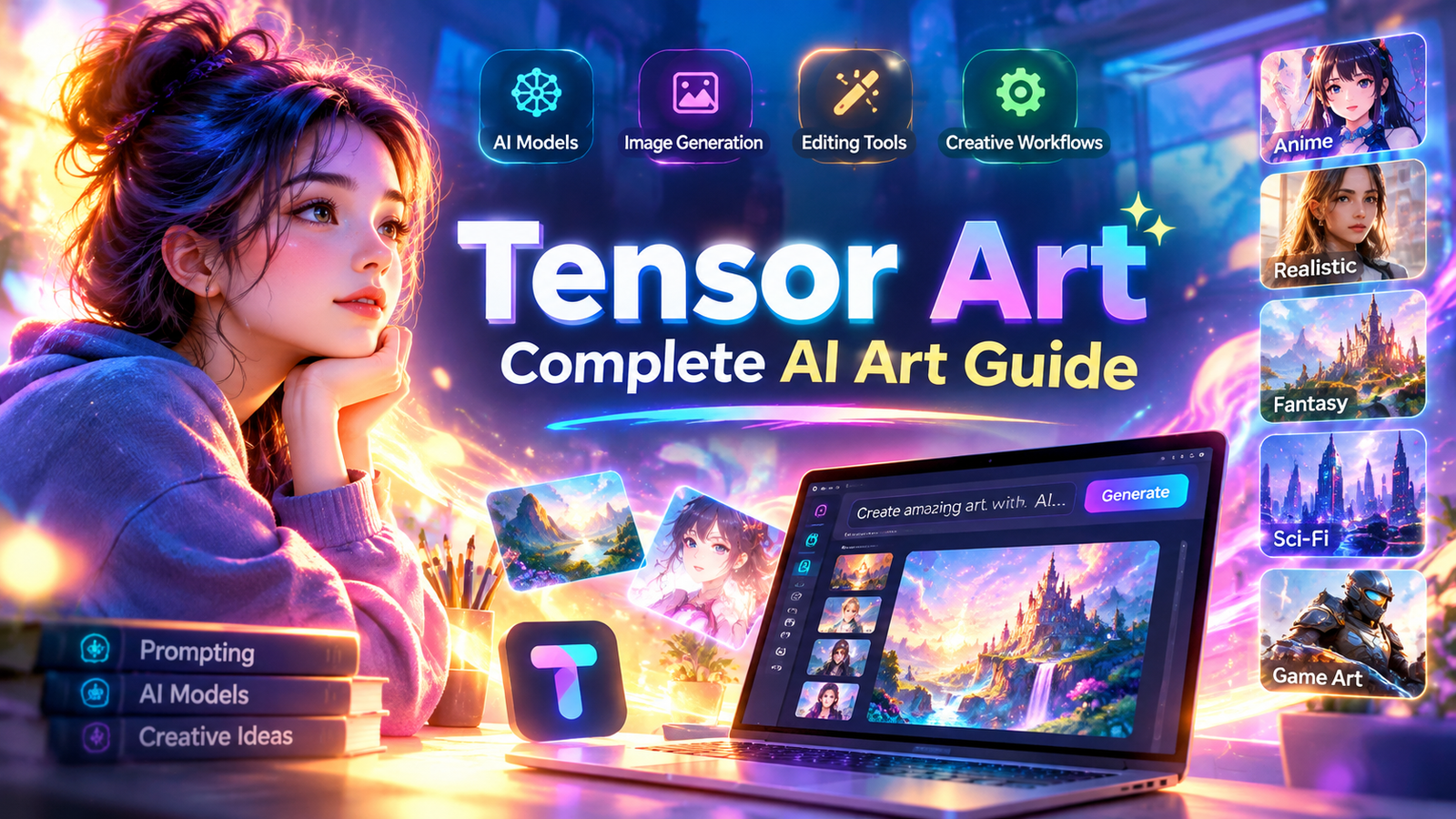
Artificial intelligence has changed the way digital artwork is created, shared, edited, and explored. Instead of depending entirely on traditional drawing software or advanced graphic design skills, creators can now use AI-powered platforms to turn written ideas into detailed images, experiment with different artistic styles, and develop original visual concepts. Tensor Art has become an interesting platform in this space because it brings together AI image generation, creative models, workflows, editing capabilities, and a community-oriented environment where users can explore different approaches to digital creation.
Tensor Art is designed for people who want to experiment with AI-generated artwork without building an entire technical workflow from scratch. The platform provides access to a large selection of models and creative tools covering areas such as anime, realistic photography, illustration, science fiction, character design, 3D visuals, game art, and many other categories. Its current platform structure also includes specialized creation experiences such as OC Creator, Anime Lab, Photoreal Studio, Smart Edit, Digital Avatar, Create from Reference, Motion & Pose Ref, SNS Trends, and Brand Design.
For beginners, the appeal of Tensor Art comes from its ability to make AI-assisted creation more approachable. For experienced creators, the platform can provide a wider environment for testing models, refining prompts, experimenting with workflows, and developing consistent visual styles. Understanding how the platform works can therefore help users make better decisions about models, prompts, image quality, editing, and creative production.
What Is Tensor Art?
Tensor Art is an AI-powered creative platform focused on generating and working with digital images and other forms of AI-assisted visual content. Rather than functioning as a simple image generator with only one model, the platform provides access to multiple AI models and creative categories, allowing users to select approaches that match their artistic goals.

The platform has an extensive model section where creators can discover different checkpoints, LoRA models, video models, and other AI resources. These models are organized across categories such as realistic, anime, 3D, photography, concept art, sci-fi, game design, scenery, vehicles, architecture, clothing, food, and illustration. This variety gives users the opportunity to approach the same concept from very different visual directions.
One of the important aspects of Tensor Art is that AI artwork does not have to follow a single visual style. A creator interested in realistic portraits can choose models designed for photorealistic results, while someone developing an anime character can explore anime-focused models. Another creator might be interested in cinematic environments, fantasy artwork, game assets, or experimental visual styles.
This model diversity makes Tensor Art particularly useful for experimentation. Instead of asking whether one AI model can produce every type of image, users can explore different models according to the requirements of each project.
Why Tensor Art Is Popular Among AI Art Creators
The growth of AI art has created a demand for platforms that combine generation, customization, discovery, and community interaction. Tensor Art addresses several of these needs through a single creative environment.
A major reason creators explore Tensor Art is model variety. Different AI models have different strengths, and the visual result can change significantly depending on the model selected. A prompt that produces a soft illustration with one model may produce a cinematic photograph with another. This means that model selection can be almost as important as prompt writing.
Another advantage is the opportunity to learn from existing workflows and creative experiments. AI image generation is not always about writing one perfect prompt and immediately receiving the ideal result. Users often need to understand composition, lighting, image dimensions, style, model behavior, negative prompting, reference images, and generation settings. A platform that exposes creators to different workflows can make this learning process easier.
Tensor Art also provides specialized creative experiences for different purposes. The platform currently presents tools for original character creation, anime content, photorealistic imagery, reference-based creation, digital avatars, motion and pose control, social media trends, and brand-oriented visuals.
Understanding AI Models on Tensor Art
AI models are one of the most important parts of the Tensor Art experience. A model can influence how an image looks, how it interprets prompts, and what kinds of visual details it handles particularly well.
The model library includes different types of resources, including checkpoints and LoRA models. Checkpoint models can provide a broader visual foundation, while LoRA resources can be used to influence specific styles, subjects, characters, clothing patterns, or artistic characteristics depending on how they were trained.
For a beginner, the number of available models can initially feel overwhelming. A practical approach is to start with the desired output instead of browsing randomly. If the goal is realistic photography, explore realistic and photography-oriented models. If the project involves anime characters, focus on anime and illustration categories. If the objective is a game environment, explore models associated with game design, fantasy, concept art, scenery, or 3D visuals.
Tensor Art’s model library demonstrates the broad range of creative categories available to users, including realistic, anime, photography, 3D, game, sci-fi, concept, design, architecture, and other visual areas.
Tensor Art and AI Image Generation
AI image generation is one of the main reasons people use Tensor Art. The basic concept is relatively straightforward: a user describes an image using natural language, selects an appropriate model or tool, adjusts relevant settings, and generates a visual result.
However, good AI image generation requires more than entering a few random words. A useful prompt usually communicates the subject, environment, composition, lighting, visual style, mood, camera perspective, level of detail, and other important characteristics.
For example, a creator might want a futuristic city at sunset. Instead of simply entering “futuristic city,” a more descriptive prompt could explain that the scene should feature towering glass buildings, glowing advertisements, reflective streets, atmospheric haze, cinematic lighting, and a wide-angle perspective.
The more clearly the creator communicates the desired visual structure, the easier it can be for the generation system to interpret the concept. Nevertheless, prompts should not become unnecessarily complicated. The best approach is to include details that actually matter to the intended image.
How to Write Better Prompts
Prompt writing is one of the most useful skills for anyone using Tensor Art. A strong prompt can help guide the model toward the intended subject and visual direction.
A good starting point is to describe the primary subject first. After identifying the subject, explain the environment, visual characteristics, composition, lighting, and atmosphere. For a portrait, for example, the prompt might describe the person’s appearance, clothing, facial expression, background, lighting conditions, lens style, and photographic mood.
Creators can also experiment with words related to image quality, composition, depth, realism, texture, color balance, and atmosphere. However, adding large numbers of unrelated quality terms does not automatically improve an image. Prompt quality is generally more valuable than prompt length.
Another useful strategy is to modify one variable at a time. If an image is already strong but the lighting feels incorrect, change the lighting instructions instead of rewriting the entire prompt. This makes it easier to understand which changes actually affect the result.
Negative Prompts and Image Control
Negative prompting can be useful when a creator wants to reduce unwanted visual characteristics. Depending on the model and workflow, negative prompts may help discourage issues such as distorted anatomy, unwanted objects, poor composition, excessive blur, incorrect proportions, or other undesirable details.
The exact effectiveness of negative prompts varies according to the model and generation method. Users should therefore avoid assuming that one universal negative prompt will work perfectly for every project.
Instead, it is better to evaluate the generated image and identify the specific problem. If hands are consistently distorted, the creator can experiment with relevant negative terms or use a model and workflow better suited to human anatomy. If the background is becoming too complicated, the prompt can be simplified to prioritize the main subject.
Read more about: sakura ai
Tensor Art for Anime and Character Creation
Character creation is one of the areas where AI art platforms can be particularly useful. Tensor Art provides dedicated creative categories and tools that make character-focused experimentation easier.
Anime creators can explore different models and styles to develop characters with distinctive facial features, clothing, poses, environments, and artistic aesthetics. A character can be placed in different scenes while maintaining a broadly consistent concept.
For original characters, it is helpful to establish a clear character description before generating multiple images. Details such as hairstyle, clothing, age range, color palette, accessories, personality, and setting can become part of the creative identity.
Consistency remains one of the challenges in AI-generated character artwork. A model may produce attractive images while changing small characteristics between generations. Reference-based workflows, carefully selected models, and controlled prompts can help creators move toward more consistent results.
Tensor Art’s current homepage specifically highlights OC Creator and Anime Lab as dedicated creative experiences, showing the platform’s focus on character and anime-oriented generation.
Creating Realistic Images With Tensor Art
Photorealistic AI imagery has become one of the most popular applications of generative technology. Tensor Art provides photography-oriented models and a Photoreal Studio experience for users interested in lifelike visual content.
Creating realistic imagery requires attention to details such as lighting, skin texture, environmental reflections, shadows, camera perspective, depth of field, and realistic material behavior. A prompt that simply says “realistic person” may produce an acceptable image, but additional contextual information can make the intended scene clearer.
For example, a creator developing a professional portrait might describe natural window lighting, a softly blurred background, realistic skin texture, subtle facial expression, professional photography, and a specific camera composition.
Realism is not only about adding the word “photorealistic.” The entire prompt and selected model should support the desired visual outcome.
Tensor Art for Digital Art and Illustration
Digital artists can also use Tensor Art for concept development and visual experimentation. AI generation can be used to explore composition ideas before manually recreating or refining them in traditional design software.
Illustrators might generate several versions of a fantasy environment, character costume, architectural concept, or color composition and then use the strongest ideas as references for further work.
This approach can make AI a brainstorming assistant rather than a replacement for artistic judgment. The creator remains responsible for deciding which concepts are useful, which need modification, and how the final work should be developed.
The platform’s model categories include illustration-related styles as well as visual design, concept, scenery, and other creative areas, providing a broad environment for experimentation.
Reference-Based Creation
Reference images can be valuable when a creator wants the generated result to follow a particular composition, subject, or visual direction. Tensor Art includes a Create from Reference feature that is designed around reference-based creative workflows.
Reference-based generation can be useful for maintaining a general visual relationship between an original concept and a new output. For example, a creator could use a reference image to communicate pose, composition, clothing direction, environment, or overall structure.
However, creators should always consider ownership, permissions, privacy, and appropriate use when working with reference images. A reference should not automatically be treated as permission to reproduce another person’s protected work or personal likeness.
Smart Editing and Image Refinement
Generating an image is often only the beginning of a creative project. Many users need to make corrections, remove unwanted details, change visual elements, or enhance an existing image.
Tensor Art includes Smart Edit as one of its highlighted creative tools. This reflects the broader movement toward AI systems that combine generation and editing rather than treating them as completely separate processes.
AI-assisted editing can be particularly helpful when a creator already has a strong image but wants to make targeted changes. Instead of regenerating everything, editing can potentially preserve useful parts of the original while modifying specific aspects.
For professional work, it is still important to review every edited image carefully. AI editing can sometimes introduce unexpected changes, especially around faces, hands, text, fine details, and complex objects.
Tensor Art for Brand Design
AI-generated visuals are increasingly being used in marketing, branding, social media, advertising, and online publishing. Tensor Art includes a Brand Design experience aimed at creating logos, brand visuals, and marketing assets.
For small businesses and independent creators, this can be useful during the brainstorming stage. A business owner might generate visual directions for a campaign, explore different color combinations, or test several creative concepts before developing the final branding assets.
However, professional branding often requires more than a visually attractive AI image. Logos need to work at different sizes, brand systems need consistency, and typography needs to remain readable. AI can help with concept exploration, but final brand production may still benefit from traditional design tools and professional review.
Tensor Art and Video Creation
AI creation is increasingly expanding beyond still images. Tensor Art’s recent platform updates show support for video-oriented workflows and newer generation technologies. Its updates have highlighted tools and models for text-to-video, image-to-video, motion control, and consistency across frames.
This development is important because creators increasingly want to transform static artwork into animated or cinematic content. A still image can become a starting point for motion experiments, short social videos, storytelling sequences, or promotional concepts.
Video generation introduces additional challenges because consistency matters across multiple frames. A character may need to maintain appearance while moving, and an environment may need to remain visually coherent. As these technologies improve, workflows that combine image generation, reference images, motion control, and video generation are becoming increasingly useful.
Canvas and Modern Creative Workflows
Tensor Art has also introduced Canvas as a creative environment for working with AI models and design tools. Recent updates describe Canvas as an all-in-one creative experience that brings together AI models, professional design capabilities, and an infinite canvas environment.
The concept of an infinite canvas is useful because creative projects often involve more than one image. A designer may want to collect references, generate variations, compare concepts, and organize visual ideas within one workspace.
This type of workflow can be especially valuable for larger projects such as campaign concepts, character development, storyboarding, product visuals, and social media content.
Learning Tensor Art as a Beginner
New users should not try to master every feature immediately. The platform contains many models, tools, settings, and workflows, and attempting to understand everything at once can make the learning process unnecessarily difficult.
A better approach is to start with one goal. For example, a beginner might decide to learn how to generate realistic portraits. After becoming comfortable with prompts, model selection, generation settings, and image evaluation, the user can gradually explore editing, reference-based creation, character workflows, and other features.
The official Tensor Art team provides a user handbook and tutorial resources covering areas such as basic text-to-image workflows, ControlNet, ComfyUI, LoRA training, Flux workflows, image restoration, and other functions.
Learning through experimentation is also important. Generate multiple versions of the same concept and compare them. Change the model, modify the prompt, adjust the composition, and observe what happens. Over time, this process creates practical knowledge that is often more valuable than simply reading technical explanations.
Model Selection Strategy
Choosing the right model can dramatically influence the final result. Instead of selecting a model simply because it is popular, users should consider what the model is designed to produce.
For realistic photography, a photography or realism-oriented model is usually a logical starting point. For anime characters, an anime-focused model may provide a better foundation. For concept art, fantasy, science fiction, or game environments, specialized models can provide visual characteristics closer to the intended project.
Tensor Art’s model library currently contains a wide range of model categories and model types, giving users multiple options for different creative requirements.
The best model is therefore not necessarily the model with the highest number of downloads or interactions. It is the model that consistently produces results appropriate for the specific task.
Improving Image Quality
Image quality depends on several interconnected factors. The selected model, prompt structure, resolution, generation settings, composition, and post-processing can all affect the final result.
Creators should begin by getting the concept right before focusing heavily on resolution. A high-resolution image with poor composition is usually less useful than a well-composed image generated at a moderate resolution.
Once the composition is successful, creators can experiment with enhancement and upscaling workflows. The official Tensor Art tutorials include resources related to HD restoration and image-quality improvement, which can be useful for creators who want to learn more advanced approaches.
It is also important to inspect generated images at a closer level. Faces, hands, eyes, text, jewelry, architectural lines, and small objects can contain subtle AI-generated errors that are not immediately visible in a thumbnail.
Using Tensor Art for Social Media Content
Social media creators can use AI-generated visuals to develop posts, promotional graphics, thumbnails, backgrounds, character concepts, and campaign ideas. Tensor Art’s SNS Trends feature is positioned toward social-media-oriented creation and trend-based visual content.
A strong social media workflow begins with the target platform. Different platforms may favor different image dimensions, compositions, and visual styles. A vertical image may be more useful for certain mobile-first formats, while landscape visuals can work better in other contexts.
Creators should also think about consistency. If AI artwork is being used for a brand or content channel, maintaining similar visual characteristics across posts can help create a recognizable identity.
Tensor Art for Game Design
Game designers and concept artists can use AI generation for brainstorming environments, characters, props, costumes, vehicles, creatures, and world-building ideas.
A game project can require hundreds or even thousands of visual concepts, making rapid experimentation valuable during early development. AI tools can help creators quickly explore different directions before committing to detailed production work.
For example, a designer developing a science-fiction game might explore several versions of futuristic vehicles, space stations, character armor, alien environments, and city architecture. The generated concepts can then serve as references for more controlled production.
Tensor Art’s model categories include game design, sci-fi, mecha, vehicles, buildings, scenery, and concept art, making these areas particularly relevant for experimentation.
Responsible Use of AI-Generated Artwork
As AI-generated content becomes more common, responsible usage is increasingly important. Creators should understand the rights and restrictions associated with models, datasets, reference images, generated content, and commercial use.
Before using an AI-generated image for a commercial project, users should review the applicable platform rules and model-specific terms. The fact that an image can be generated does not automatically mean that every possible use is permitted.
Privacy is another important consideration. Users should avoid uploading confidential documents, private photographs, or sensitive personal material unless they understand how the platform handles such content.
Creators should also avoid using AI tools to impersonate real people, mislead audiences, or create deceptive content. AI artwork is most useful when applied creatively, transparently, and responsibly.
Tensor Art for Professional Creators
Professional designers can treat Tensor Art as one part of a larger creative pipeline. Instead of expecting AI to produce a complete final asset every time, professionals can use it for ideation, exploration, reference creation, variations, and rapid prototyping.
A designer might generate ten different visual concepts, select two promising directions, refine those concepts using additional workflows, and then complete the final design in another professional application.
This approach allows AI to accelerate repetitive exploration while keeping human judgment at the center of the creative process. It can also reduce the time required to move from an abstract idea to a visible concept.
Community and Creative Discovery
Creative platforms become more useful when users can learn from other creators. Tensor Art includes areas for posts, workflows, articles, events, leaderboards, and different creative channels, creating a broader community environment around AI artwork.
Community discovery can help users understand how other creators approach prompts, models, and visual styles. It can also provide inspiration when someone is unsure how to develop a particular idea.
However, copying another creator’s work without understanding the underlying process is not the best way to learn. A stronger approach is to study the structure of a successful workflow, understand why certain choices were made, and then adapt those principles to an original project.
Common Mistakes New Users Make
One common mistake is changing too many settings at once. When everything changes simultaneously, it becomes difficult to identify what actually improved or damaged the result.
Another mistake is relying on extremely long prompts. More words do not automatically mean more accurate results. Prompts should communicate meaningful information rather than becoming collections of unrelated descriptive terms.
Some users also switch models too frequently. It can be more productive to spend time understanding one suitable model before comparing several alternatives.
Ignoring composition is another common problem. AI can generate visually impressive details, but the overall image still needs a clear focal point, balanced composition, and logical relationship between subjects.
Finally, users sometimes accept the first generation as the final result. AI image creation is usually more effective when treated as an iterative process involving generation, evaluation, refinement, and regeneration.
Tips for Better Tensor Art Results
A practical workflow starts with a clear objective. Before generating an image, decide what the image is supposed to communicate and where it will be used.
Next, select a model that fits the visual objective. Once a suitable model is selected, write a focused prompt describing the subject, environment, composition, lighting, mood, and style.
Generate several variations instead of judging the idea from one result. Compare the images and identify which characteristics are working well.
After selecting a strong direction, make targeted changes. Adjust one or two aspects at a time so that the effect of each modification is easier to understand.
Finally, inspect the final result carefully and refine it when necessary. Small errors can sometimes be corrected through editing or another generation pass.
The Future of AI Art Platforms
The future of AI art is likely to involve increasingly integrated creative workflows. Instead of separate tools for image generation, editing, reference control, animation, and design, creators are moving toward environments that combine these functions.
Tensor Art’s recent updates illustrate this direction. The platform has expanded its creative tools and introduced newer image and video capabilities, including reference-based workflows, motion-related features, specialized creation tools, and Canvas-based experiences.
This evolution could make AI creation more accessible to beginners while also giving experienced creators greater control. The most useful platforms will likely be those that balance simplicity with advanced customization.
For creators, this means learning fundamental concepts such as prompting, model selection, composition, image editing, and workflow design will remain valuable even as individual tools change.
Final Thoughts on Tensor Art
Tensor Art represents a broad approach to AI-assisted creativity by combining image generation, model discovery, editing, reference-based workflows, creative tools, and community features within one platform. Its extensive selection of models covers many visual categories, while its newer specialized tools provide more direct ways to create characters, realistic imagery, brand visuals, social content, and other forms of digital artwork.
As AI technology continues to evolve, platforms like Tensor Art are likely to become increasingly important in digital art, content creation, design, marketing, entertainment, gaming, and visual storytelling. Users who learn how to combine AI capabilities with their own creative judgment will be better positioned to take advantage of these developments while maintaining originality and quality in their work.