Table of Contents
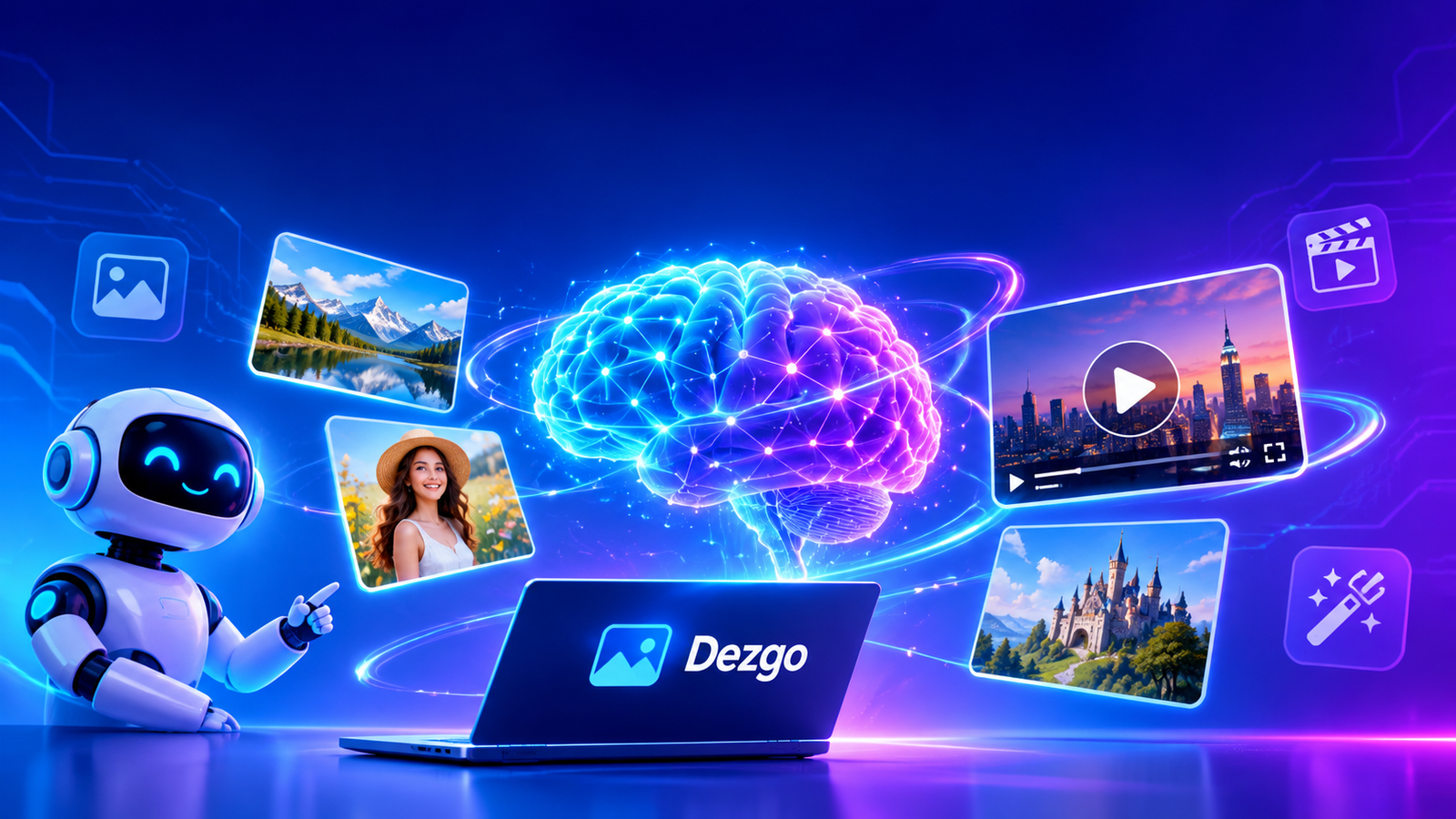
Artificial intelligence has changed the way people create digital content, especially images, illustrations, and videos. Tasks that previously required professional design software and advanced creative skills can now be completed with AI-powered platforms. Dezgo is one of the online tools designed to make this creative process easier by allowing users to generate visual content from written descriptions and existing images. It brings different AI models and creative tools together, helping beginners, designers, content creators, and developers explore new possibilities.
Dezgo is an AI-powered image and video generation platform that transforms text prompts into visual results. Instead of manually drawing every object, users can describe their ideas and allow artificial intelligence to produce an image. The platform also provides image editing, image-to-image generation, and other creative capabilities. These features make Dezgo useful for people who want to experiment with digital artwork, marketing visuals, website graphics, and social media content.
Understanding how Dezgo works can help users decide whether it matches their creative requirements. Its different generation modes, available models, customization settings, and payment options provide several ways to approach visual creation. This guide explores the platform, its important features, practical applications, advantages, limitations, and overall value.
What Is Dezgo?
Dezgo is an online artificial intelligence platform that helps users create and transform digital media. Its main purpose is to make AI image and video generation accessible through a browser-based interface. Users can enter a written description, select an appropriate generation mode, adjust available settings, and produce visual content without needing traditional illustration skills.

The platform uses advanced AI models trained to understand relationships between words, objects, environments, artistic styles, and visual characteristics. When someone enters a prompt, the selected model interprets the description and generates an image or video based on the requested details.
Dezgo supports different creative workflows rather than concentrating on one generation method. Users can create pictures from text, transform existing images, edit visual elements, and explore video generation. Available models have different strengths, which means selecting the right model can influence the final appearance.
Another important aspect of Dezgo is its accessibility. The free version allows people to experiment without registering an account, although certain generation restrictions apply. Users who require additional processing capabilities can explore its optional Power Mode.
How Dezgo Works
Dezgo uses artificial intelligence models to interpret instructions and generate visual content. The process begins when a user selects a suitable tool and provides a description of the desired result. The system processes the prompt and produces an output according to the selected model and available parameters.
For example, someone interested in creating a realistic landscape might enter a description mentioning mountains, a peaceful lake, morning sunlight, green trees, and realistic photography. The AI model analyzes these elements and attempts to combine them into one coherent composition.
The quality of the result depends on several factors, including prompt clarity, model selection, image dimensions, and generation settings. A general description may produce an interesting but unpredictable result. A detailed description gives the model more information about the subject, environment, lighting, composition, and artistic direction.
Dezgo also provides additional settings for users who want greater control. Depending on the selected tool, these may include guidance, negative prompts, sampling steps, model choices, and other generation parameters.
This approach makes Dezgo useful for both casual experimentation and more structured creative projects.
Main Features of Dezgo
Text-to-Image Generation
Text-to-image generation is one of the central capabilities of Dezgo. It allows users to turn written ideas into digital images. Instead of searching for an existing photograph or creating an illustration manually, users can describe the visual they want and let an AI model generate it.
This feature can support different creative styles, including realistic photography, digital paintings, illustrations, fantasy environments, and artistic compositions. The final appearance depends on the selected model and prompt.
For example, a blogger can describe a modern workspace with a laptop, a coffee cup, natural lighting, and a clean background. A suitable model can use that description to produce an original visual for a website article.
Dezgo makes this process approachable because users do not need advanced drawing abilities. However, writing a meaningful prompt remains important for obtaining useful results.
Read more about: dashboard petpooja
Image-to-Image Generation
Image-to-image generation allows users to provide an existing picture as a visual reference. Rather than starting entirely from written instructions, the AI uses the uploaded image as a foundation for creating another version.
This approach is helpful when someone wants to experiment with a different artistic direction while maintaining elements of the original composition. For instance, an ordinary photograph might become the starting point for a digital artwork, illustration, or alternative visual style.
Dezgo provides image-to-image tools with settings that influence how strongly the original picture changes. A lower transformation strength can preserve more original characteristics, while stronger settings can produce more noticeable differences.
The feature is particularly useful for creators who already have visual material but want to explore alternative versions.
AI Video Generation
Video generation expands the creative possibilities beyond static images. Dezgo provides different AI video tools that allow users to create moving visual content from text descriptions or reference images.
The available models and their capabilities can vary. Some are designed for different levels of quality, speed, duration, and creative control. This variety gives users opportunities to experiment with different approaches to AI-assisted video production.
Video generation can be useful for social media content, creative experiments, promotional concepts, and visual storytelling. However, generated videos should always be reviewed for visual consistency, movement quality, and unwanted details before publication.
Image Editing
Image editing is another useful part of the Dezgo platform. Users can explore AI-assisted methods to modify existing pictures according to written instructions.
Traditional image editing often involves manually selecting objects, adjusting layers, removing unwanted elements, and changing backgrounds. AI-assisted editing can simplify some of these processes by interpreting natural-language instructions.
For example, a user may want to change the background of a photograph, adjust the surrounding environment, or introduce a new visual element. The available editing method determines how much control the user has over the transformation.
Background Removal
Removing a background is a common requirement in digital design. Product photographs, profile pictures, promotional graphics, and website visuals frequently need transparent or simplified backgrounds.
Dezgo includes an AI background removal tool that can help separate the main subject from its surroundings. This can save time when preparing images for online stores, presentations, advertisements, and creative projects.
The resulting image should still be checked around difficult edges, including hair, transparent objects, and complicated backgrounds.
Image Upscaling
Image resolution matters when pictures are displayed on websites, promotional materials, and larger screens. Low-resolution images may appear unclear when enlarged.
Dezgo offers image upscaling capabilities that can improve the dimensions of supported images. AI-based upscaling attempts to reconstruct additional visual detail rather than simply stretching the original pixels.
This can be useful for preparing existing graphics for larger displays. Nevertheless, upscaling does not guarantee that every missing detail will be accurately recovered.
Learn more about: tensorart
Understanding AI Models on Dezgo
One reason Dezgo attracts attention is its selection of AI models. Different models are developed or adjusted for particular creative purposes. Some are general-purpose systems, while others are optimized for specific visual styles.
General-purpose models can handle a wide range of subjects, including people, objects, buildings, landscapes, and digital artwork. Specialized models may perform better for particular aesthetics, such as photorealistic images, anime illustrations, or detailed three-dimensional scenes.
The platform has offered models from different AI development ecosystems, including FLUX and Stable Diffusion families. Its current model selection can change as new technologies become available.
Choosing a model should depend on the intended result rather than popularity alone. A model that produces impressive portraits may not necessarily be the best choice for architectural illustrations.
Users can explore the available options and compare outputs using similar prompts. This makes it easier to understand differences in image quality, interpretation, and artistic style.
How to Use Dezgo
Getting started with Dezgo is relatively straightforward. The platform provides an online interface where users can select a creative tool and begin generating content.
First, open the official Dezgo website and explore the available generation categories. These include text-to-image, image-to-image, video generation, and image editing tools.
Next, select the feature that matches your project. Someone creating a new illustration should choose a text-to-image option, while someone transforming an existing photograph should explore image-to-image generation or editing.
After selecting the tool, write a descriptive prompt. Include the main subject, background, visual style, lighting, atmosphere, and important details. Avoid unnecessary words that do not contribute to the intended composition.
Where available, explore the additional settings. Model selection, guidance, image dimensions, and negative prompts can influence the generated output.
When the description and settings are ready, start the generation process using the Run button. The platform processes the request and displays the resulting visual.
Review the output carefully. If it does not match your expectations, improve the description or adjust the available settings and generate another version.
Once satisfied, save the result using the available download option. Users should also review the applicable model license before using generated content commercially.
Writing Better Prompts for Dezgo
Prompt writing has a significant influence on the results produced by Dezgo. Artificial intelligence needs clear instructions to understand what a user wants to create.
A useful prompt begins with the main subject. After identifying the subject, describe its appearance, surroundings, lighting, composition, and desired artistic style.
For example, instead of writing a simple description such as a beautiful house, provide more context about the building, architectural design, garden, weather, camera perspective, and lighting.
Negative prompts can also help when the selected generation tool supports them. These instructions describe unwanted elements, such as blurry details, distorted objects, unnecessary text, or visual imperfections.
Another useful approach is experimenting with different models. If one model produces an unrealistic result, another may interpret the same description differently.
Dezgo’s official FAQ provides additional guidance about improving prompts, adjusting model settings, and understanding generation options.
Dezgo Pricing and Free Access
Pricing is an important consideration when choosing an AI creative platform. Dezgo provides a free version that allows users to experiment with supported tools without creating an account.
However, free access comes with certain restrictions. These can include generation rate limits, reduced image resolution, and limitations on sampling steps. Some computationally demanding features are also unavailable in the free version.
For users who need additional capabilities, Dezgo provides an optional paid feature called Power Mode. This system follows a prepaid, pay-as-you-go approach instead of requiring a recurring monthly subscription.
Users add funds to their account and pay according to the resources required for individual generation requests. The actual cost depends on settings such as image size, selected model, and processing requirements.
Power Mode also provides additional benefits, including fewer generation restrictions, disabled advertisements, and a history feature that keeps recent requests for up to thirty days.
According to the official FAQ, unused prepaid balances do not expire. The platform displays request costs before generation, helping users understand the expected expense.
People should check current prices directly because costs can change with models and generation settings.
What Is Power Mode?
Power Mode is an optional paid experience designed for users who need more flexibility than the free version provides.
It removes several restrictions associated with free usage and gives access to additional processing capabilities. Users can fund their accounts and generate content according to their individual requirements.
Unlike conventional subscription services, Power Mode uses prepaid credits. This means users are not required to maintain an automatic monthly payment.
Another advantage is request history. According to Dezgo’s documentation, Power Mode stores recent requests for up to thirty days, allowing users to access and download previous results.
This option may be suitable for designers, businesses, and frequent creators who regularly generate visual content. Occasional users may find the free version sufficient for basic experimentation.
Dezgo for Content Creators and Bloggers
Content creators constantly need fresh visual material for their websites, articles, and social media accounts. Finding suitable images can take time, especially when a topic requires a specific visual concept.
Dezgo can help bloggers create illustrations that match their written content. For example, an article about artificial intelligence could include an original visual representing digital technology, computer systems, or futuristic creative environments.
Website owners can also experiment with images for featured sections, promotional graphics, and supporting illustrations.
However, generated visuals should support the information rather than replace meaningful content. A high-quality image cannot make an inaccurate article trustworthy.
Creators should also check the licensing requirements of the model used and avoid generating misleading visuals that could confuse readers.
Dezgo for Designers and Businesses
Small businesses and independent designers often work with limited creative resources. Producing original graphics for advertisements, product concepts, and presentations can require considerable time.
Dezgo offers an additional method for exploring visual ideas. A business owner might generate product presentation concepts, advertising backgrounds, or illustrations for a marketing campaign.
Designers can use AI-generated images as inspiration or starting points for larger projects. They can compare different compositions, experiment with artistic styles, and develop concepts before completing the final design.
Businesses should remember that generated images may contain inaccurate product details, distorted text, or unrealistic features. Important promotional material should therefore receive human review.
The platform is best understood as a creative assistant rather than a complete replacement for professional design judgment.
Dezgo API for Developers
Dezgo also provides API access for developers who want to integrate AI image generation into software applications and automated workflows.
An API allows one application to communicate with another service programmatically. Instead of manually visiting the website for every request, developers can send generation instructions through supported endpoints.
The official API documentation explains account setup, authentication, request formatting, and available functionality. Developers create an account, generate an API key, and use that key to authenticate requests.
The API supports different request formats, including JSON, form-encoded data, and multipart requests. Generated image responses are returned in PNG format.
This capability can be useful for developers building creative applications, content management systems, and automated image production tools.
Technical users should review the official documentation before implementation because authentication requirements, endpoint availability, and pricing details are important for reliable integration.
Advantages of Dezgo
One important advantage of Dezgo is its variety of creative tools. Users can explore image generation, video generation, editing, and other visual workflows through one platform.
Another benefit is accessibility. The free version allows beginners to experiment without immediately purchasing a subscription or creating an account.
Its selection of AI models also provides creative flexibility. Different models can produce different artistic interpretations, allowing users to find options that match their requirements.
The platform’s prompt customization features are useful for people who want greater control over generated images. Guidance settings and negative prompts can help refine results.
Power Mode offers an alternative payment structure for frequent users. Its prepaid approach allows people to manage spending according to their generation needs.
API access is another valuable advantage because it extends the platform beyond manual browser-based use.
Limitations of Dezgo
Despite its capabilities, Dezgo has limitations that users should understand before depending on it for important projects.
The free version includes usage restrictions, which may affect people who want to generate many high-resolution images.
AI-generated content can also contain mistakes. Faces, hands, object proportions, backgrounds, and small visual details may sometimes appear unnatural.
Different models interpret prompts differently, so achieving a precise result can require several attempts. This can increase processing time and costs when using paid generation.
Video generation also requires careful evaluation because movement and visual consistency may not always match expectations.
Another consideration is licensing. Commercial usage depends on the terms associated with the specific AI model. Users should not assume that every model has identical conditions.
Finally, an internet connection is necessary for using the browser-based platform and its online generation services.
Is Dezgo Safe to Use?
Users should consider privacy and account security when working with any online AI service. Dezgo provides account access through email-based authentication and offers documentation about its services.
Before uploading personal photographs, confidential business materials, or private documents, users should review the platform’s privacy information and applicable terms.
Developers should protect their API keys and avoid sharing them publicly. API credentials should be stored securely because unauthorized access could lead to unwanted requests and account expenses.
Users should also check the licensing conditions before publishing generated images in commercial projects.
Following these basic precautions can help people use Dezgo more responsibly.
Who Should Use Dezgo?
Dezgo can be useful for several types of users. Beginners may appreciate its straightforward interface and free generation options.
Bloggers and website owners can experiment with original article illustrations. Social media creators can explore different visual styles for posts and promotional content.
Graphic designers may use the platform for inspiration, early concepts, and alternative compositions. Small businesses can investigate AI-generated visuals for marketing campaigns.
Developers may find its API particularly interesting because it allows image generation to become part of a larger software workflow.
However, users who require precise professional artwork, complete creative control, or guaranteed consistency may still need traditional design software and professional editing processes.
Final Thoughts
Dezgo provides an accessible environment for exploring AI-powered image and video creation. Its generation models, editing tools, customization options, free access, and developer API make it useful for different creative projects.
Although it has limitations, Dezgo offers an interesting way to turn written ideas into digital visuals. Choosing suitable models, writing clear prompts, and reviewing licensing conditions can help users achieve better results.